

Vaults are available to organizations with the vaults capability enabled. If you don’t see the Vaults section on the Library page, your organization doesn’t have it yet; contact support@calderapbc.com.
Create a vault
Open the Library from the sidebar. The Vaults section sits at the top, above your pinned jurisdictions.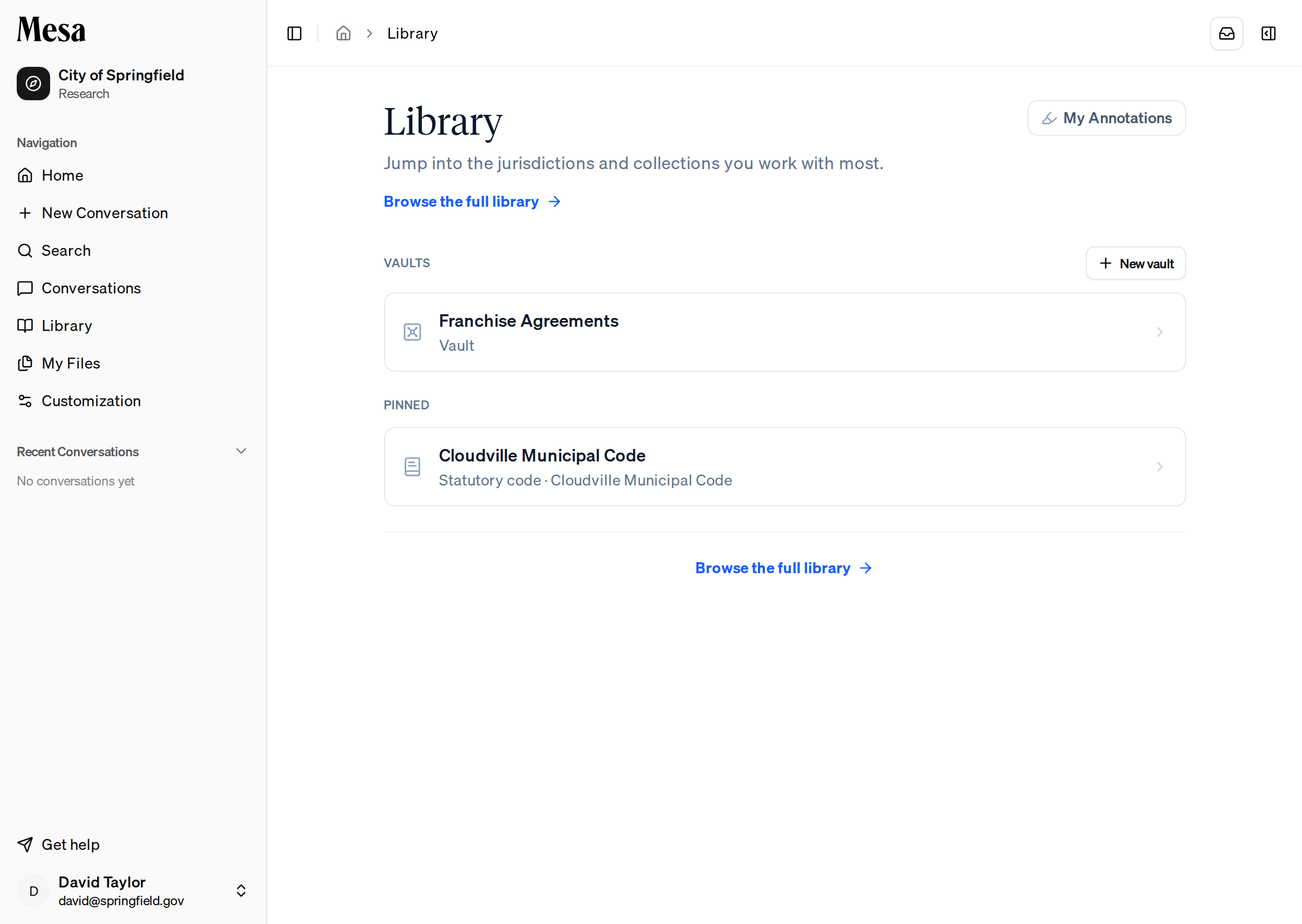
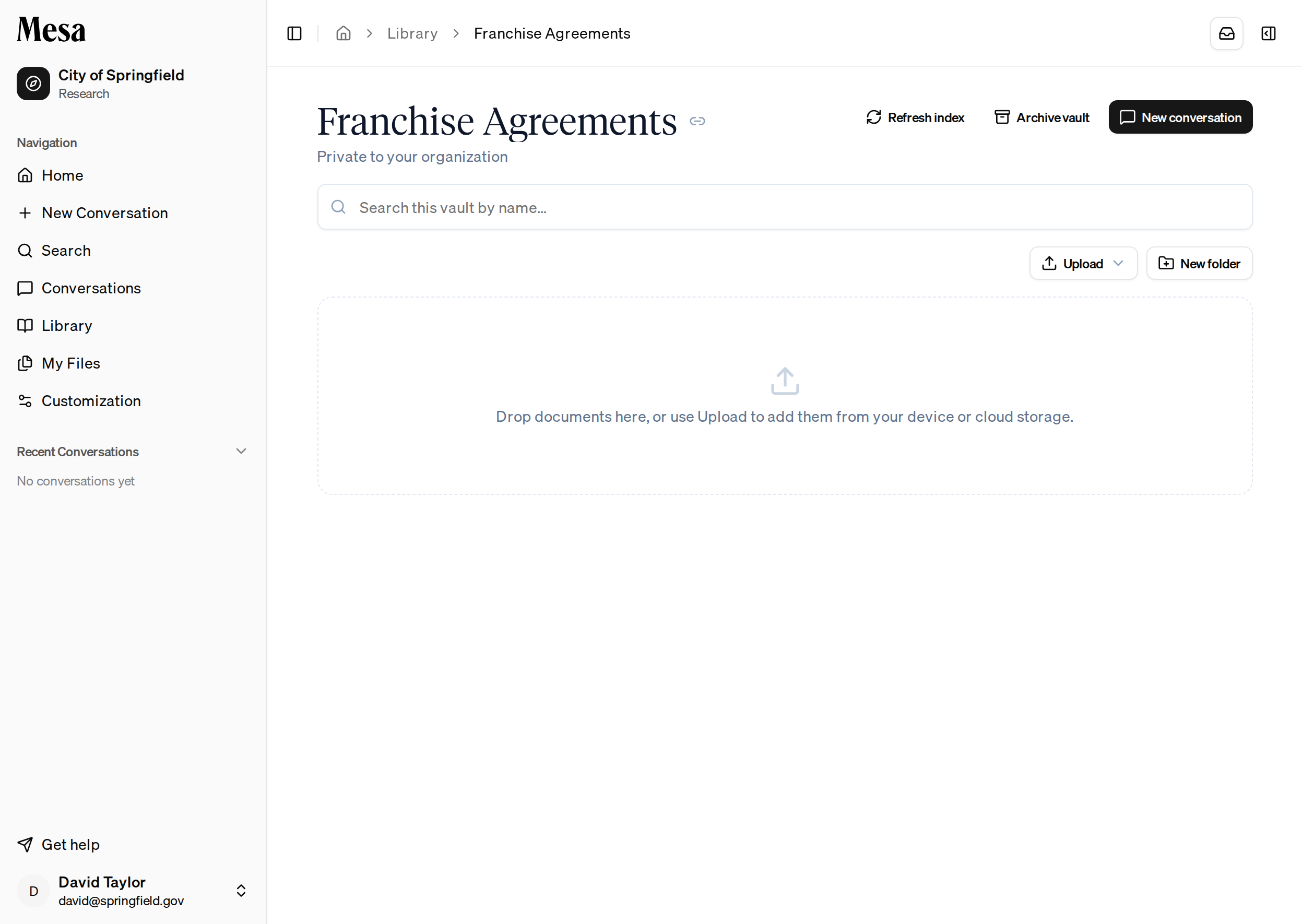
Add documents
Bring documents in two ways:- Upload from your device or a connection, using the Upload button.
- Drag and drop files, or whole folders, straight onto the page.
Organize documents
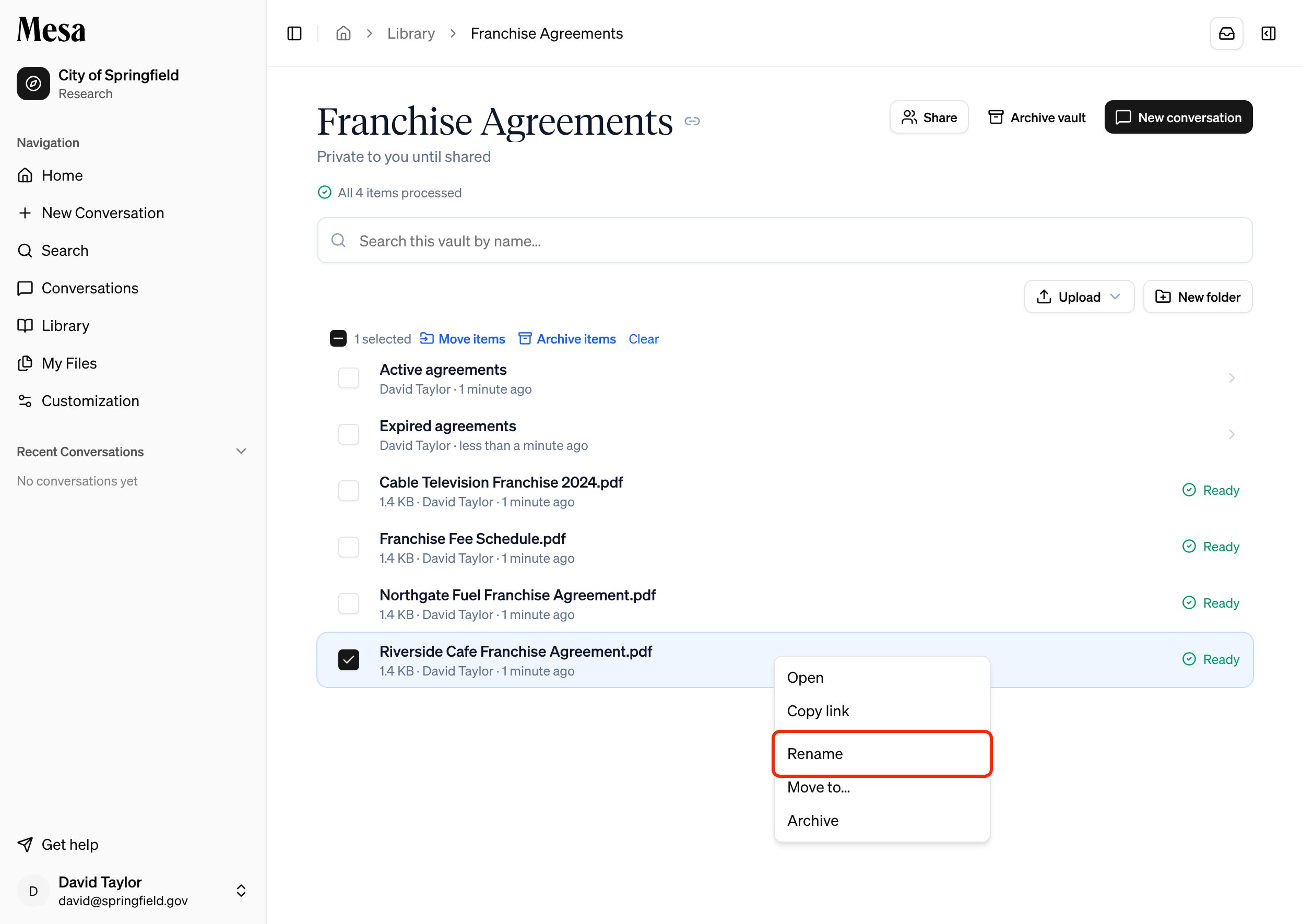
If you can edit the vault, click New folder to create folders, then rename and move documents and folders to keep the vault tidy:- Rename: right-click a document or folder and choose Rename, then type the new name and press
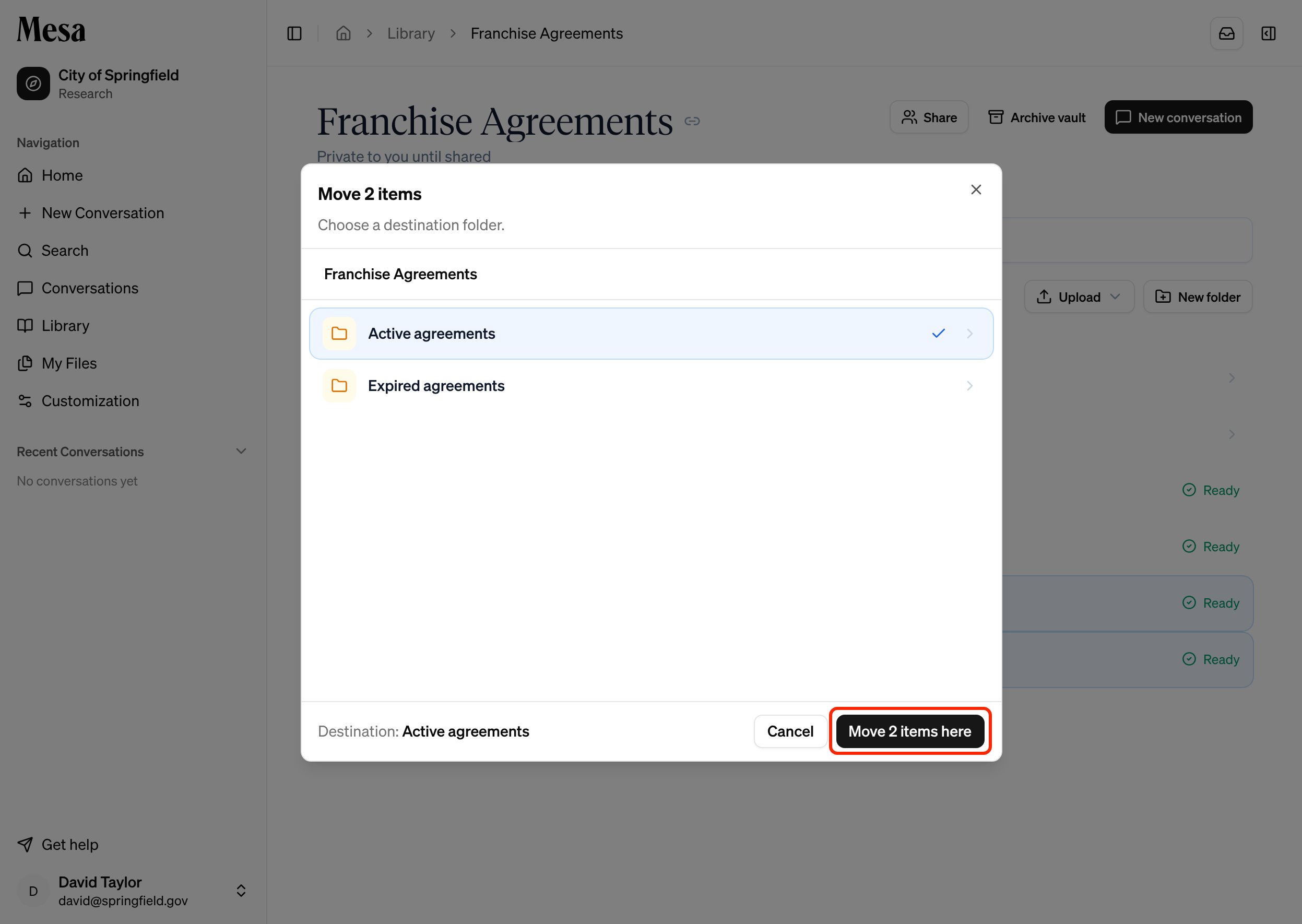
Enter. - Move: right-click an item and choose Move to…, or select several items with their checkboxes and click Move items. Pick a destination folder, then click Move here (or Move 2 items here, and so on, when moving several).
Ask the agent to organize a vault
In an Ask AI conversation, the agent can set up and maintain vaults for you. It can create a vault, create folders, add files you attached to the conversation or files it produced, and rename, move, or archive folders and files. It only works on vaults you own or can edit. For example:- “Create a vault called Franchise Agreements and file these three PDFs in a folder named 2024.”
- “Move the expired contracts into an Archive folder.”
Track processing
As each document arrives, Mesa processes and indexes it for search. Every document shows its status on the right of its row: Processing while Mesa works on it, Ready once it’s searchable, or Failed if processing didn’t succeed. Mailboxes and archives show Expanding while Mesa unpacks them, then Expanded. Below the vault header, a progress line shows how many items are processed (for example, “3 of 4 items processed”) and how many are still processing. The page updates on its own as documents finish.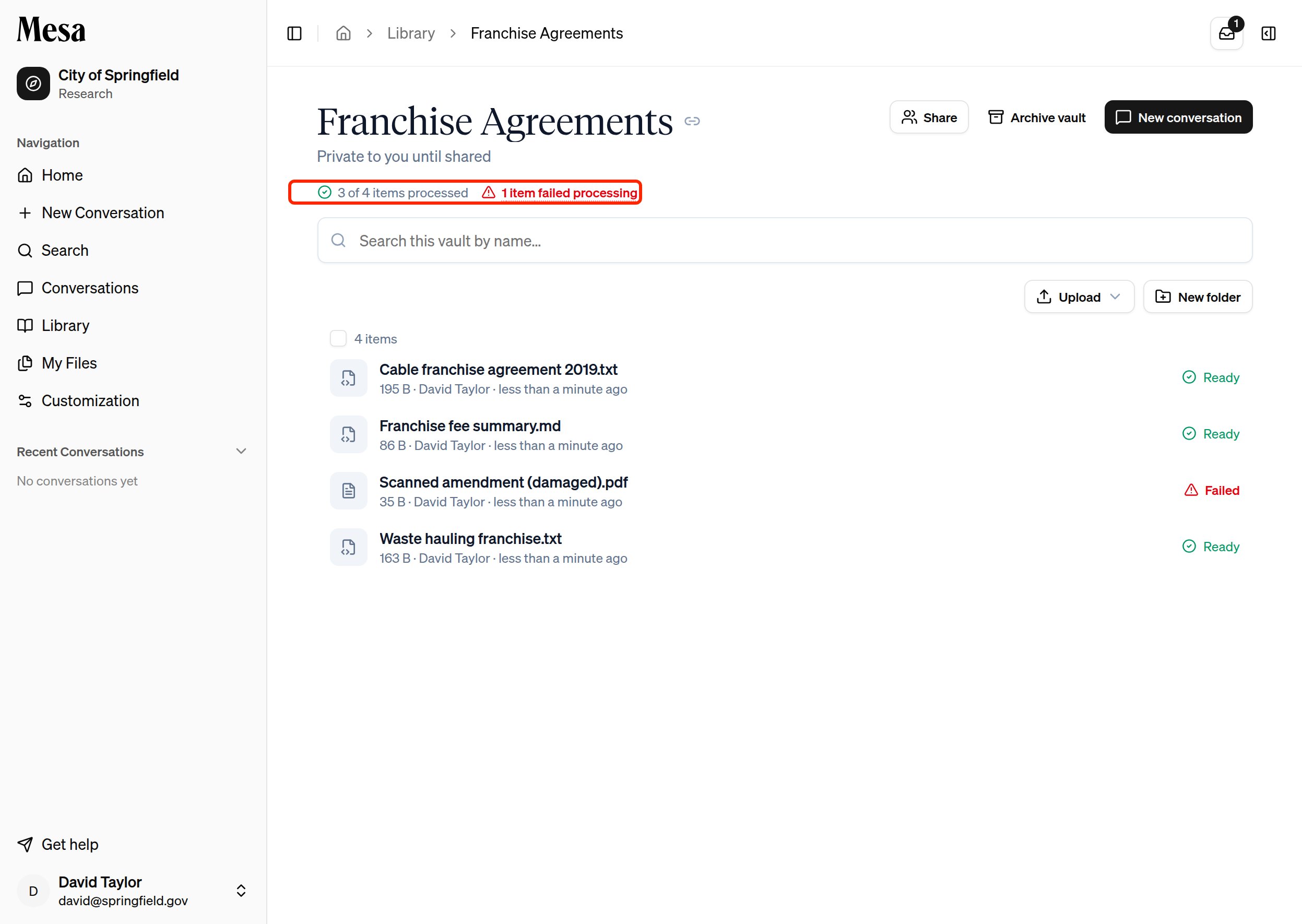
Retry failed documents
When a document fails, the progress line shows a red “items failed processing” link. Click it to open Processing failures, which lists each failed document. A document that fails repeatedly may be corrupted. If you can edit the vault, click Retry next to a document to process it again.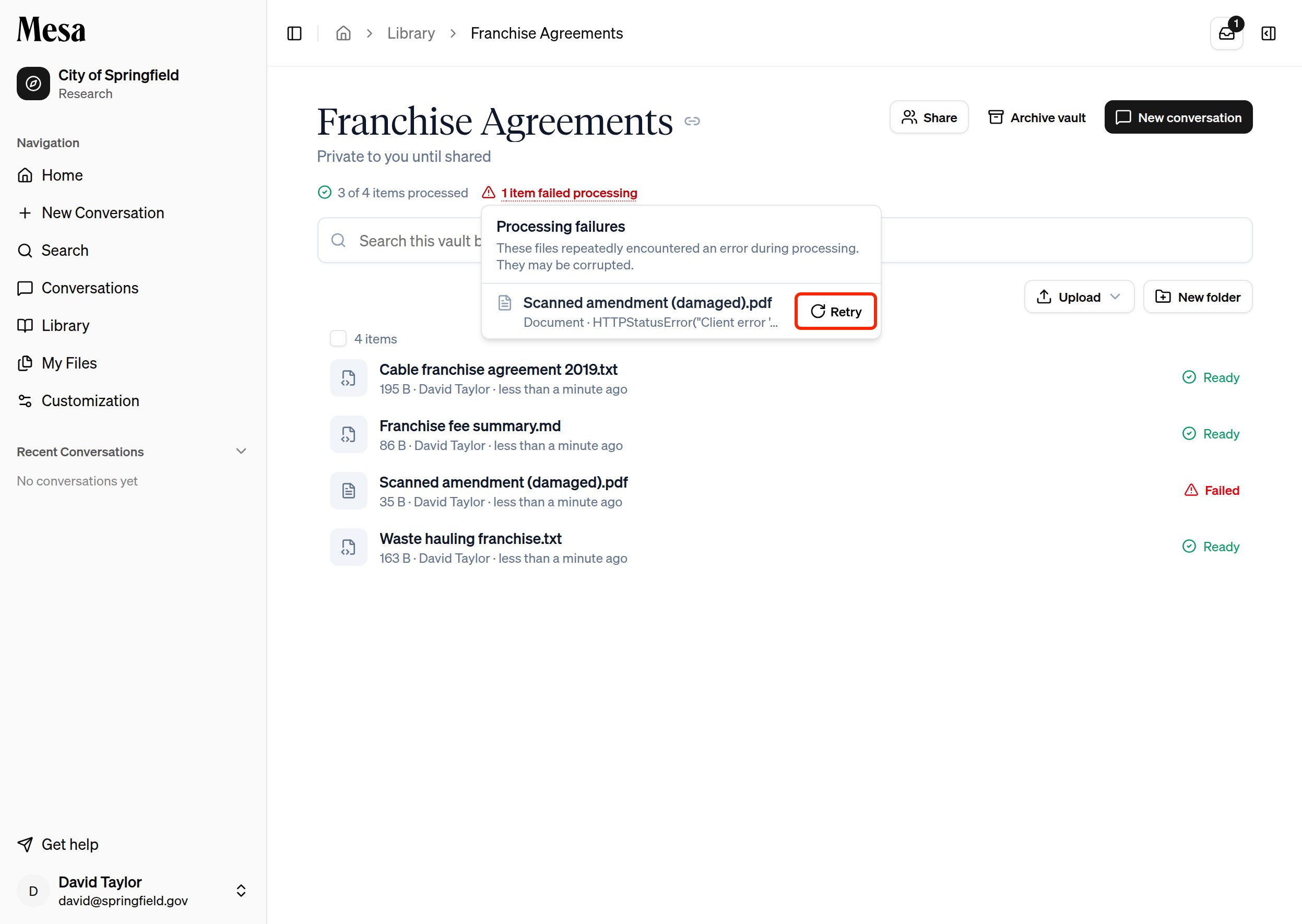
Search and research a vault
- Use the Search this vault by name box to filter the document list as you type.
- Press
Enterto run a full content search across everything the vault has indexed. - Click New conversation to start an Ask AI chat scoped to the vault, so the agent reasons over your documents the way it does over the legal library.
Share a vault
A new vault starts out restricted: only you can open it. Click Share in the vault header to bring in the rest of your team.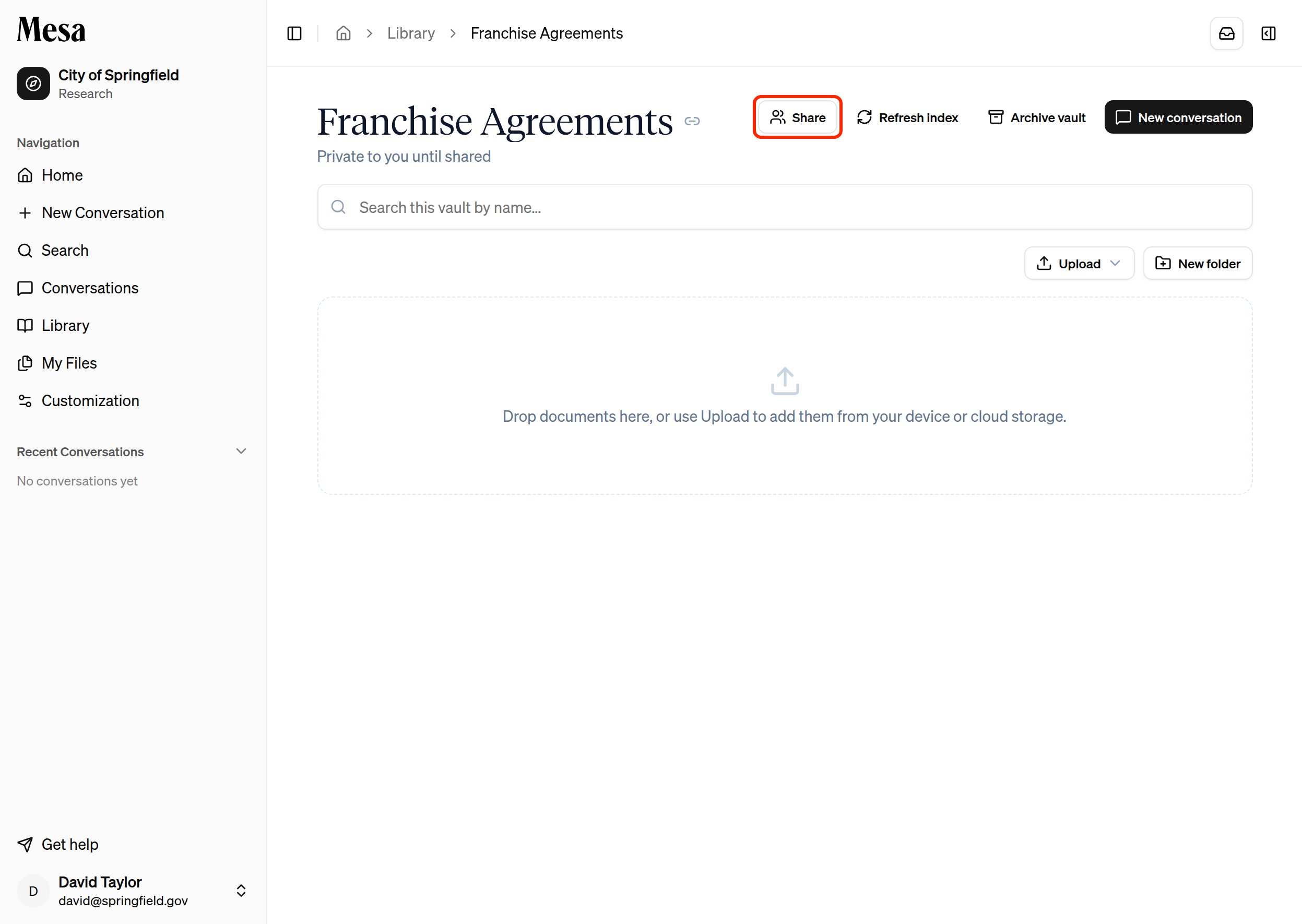
Manage a vault
- Archive vault hides it from your organization. Archiving is one-way, but citations to its documents keep resolving.
- Documents can be archived individually from the right-click menu.
Related articles
Library
Browse and pin the public legal content vaults sit alongside.
Files
Keep personal documents separate from your organization’s vaults.
Text editor
Scope a conversation to a vault from the chat box.