

Request a notification
While any agent is running, click Notify me when done. Mesa will alert you two ways when the request completes: an in-app notification and an email to your registered address. You get one notification when the agent has finished the whole piece of work, not each time it pauses to wait on a subagent or other background task. While the agent waits on background tasks, the Notify me when done button also appears on the Waiting on strip above the chat box. See Background tasks.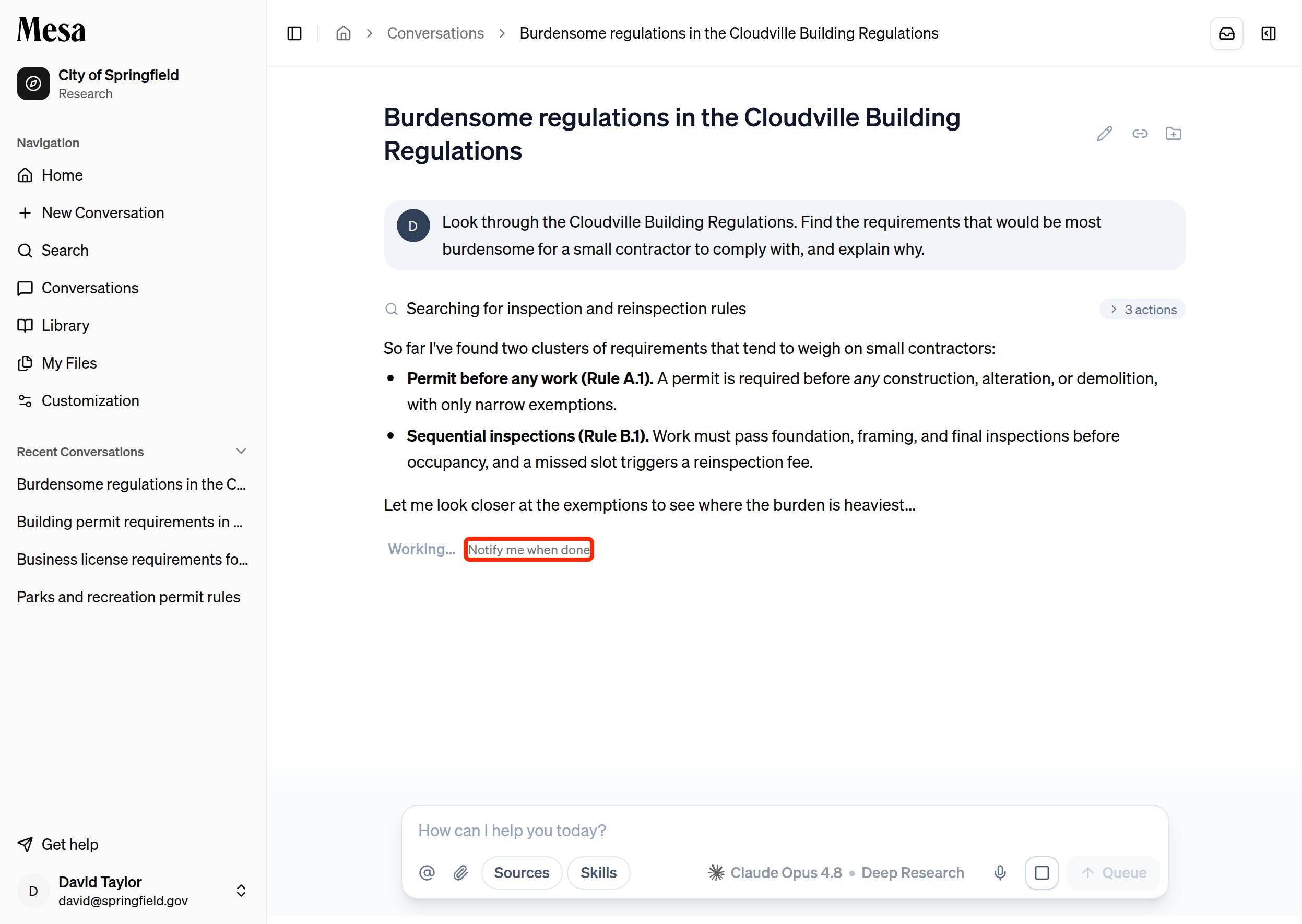
How notifications work
1
Start a long-running request
Kick off something that takes a while, such as a batch or a Deep Research task.
2
Click Notify me when done
The button is available any time the agent is still running.
3
Check back when alerted
Mesa creates an in-app notification, which you can open from the bell icon in the top-right, and sends an email to your registered address. The notification reads Research complete when the agent finishes, or Research stopped on an error if it couldn’t. Exports you’re waiting on show Ready in your jobs tray, or Job failed.
Get browser notifications for agent questions
Sometimes the agent stops to ask you a question before it continues. Mesa can show a browser notification when that happens, so a question doesn’t sit unanswered while you work in another tab or app. Above the chat box, click Turn on in the strip that reads “Get a browser notification when the agent has a question for you,” then allow notifications when your browser asks.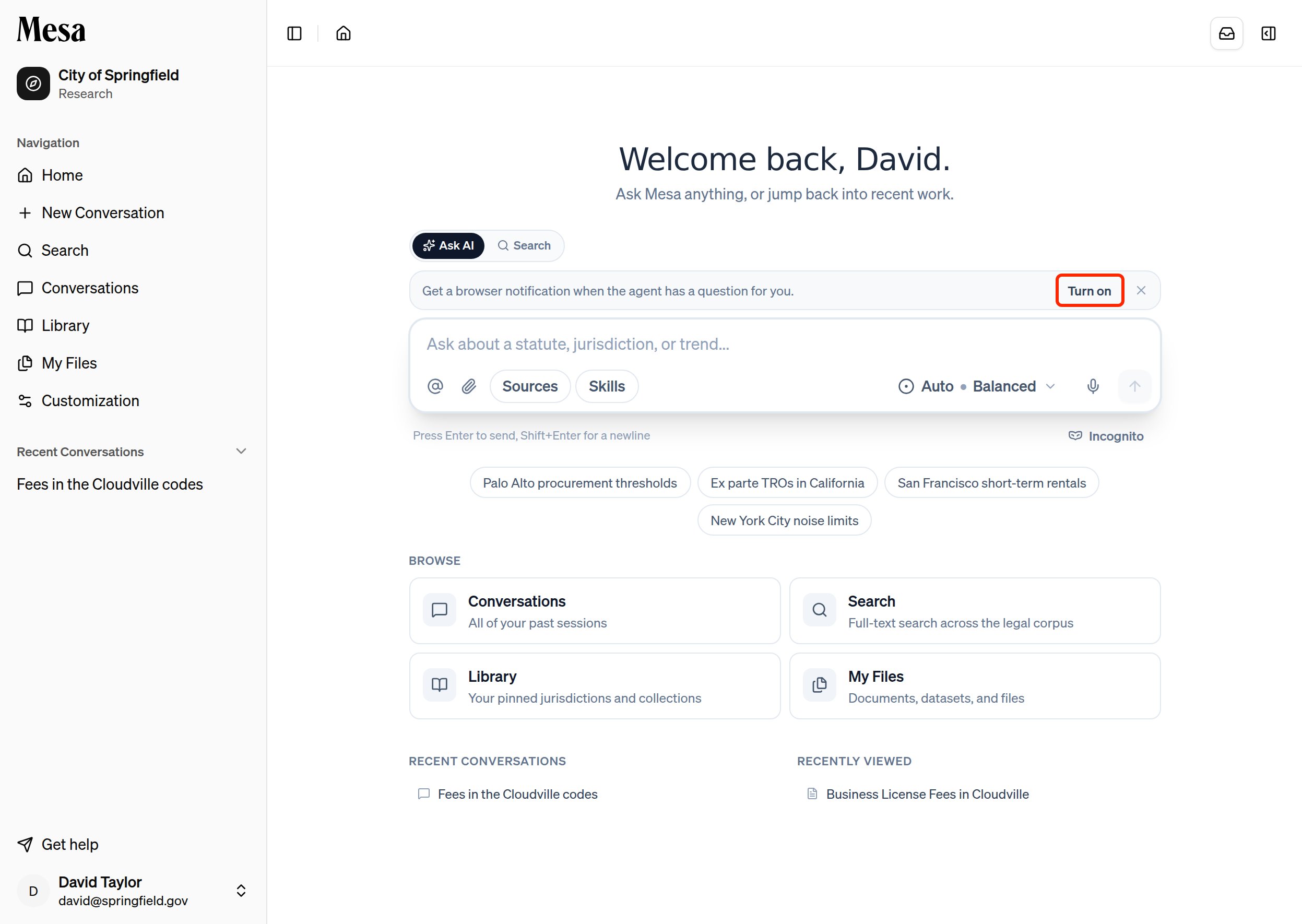
If you click Turn on and your browser doesn’t show a permission prompt, allow notifications for Mesa from the site settings icon next to the address bar.
Troubleshooting
If you don’t receive an email notification, check your spam folder and confirm your account email is correct in Settings.Related articles
Batches
Large, many-item jobs that pair best with notifications.
Models
Deep Research effort runs longer, so it’s a good time to request an alert.
Navigation
Find the notification bell and the rest of the Mesa layout.