

Write and send messages
PressEnter to send your message. By default, Shift + Enter starts a new line.
Reference files from the chat box
Type@ to open the Select from my files option. Press Enter while it’s open and Mesa expands a larger screen where you can tag specific saved files in your question.
To add a one-off document instead, click the paperclip icon or drag and drop the file into the chat box.
Point the agent at sources
Click the Sources button on the chat box to tell the agent where to look. The dropdown lists the collections you’ve pinned (including any vaults) and your active connections, including the organization connections an Owner has set up. Pick one and it’s added to your message as a source cue.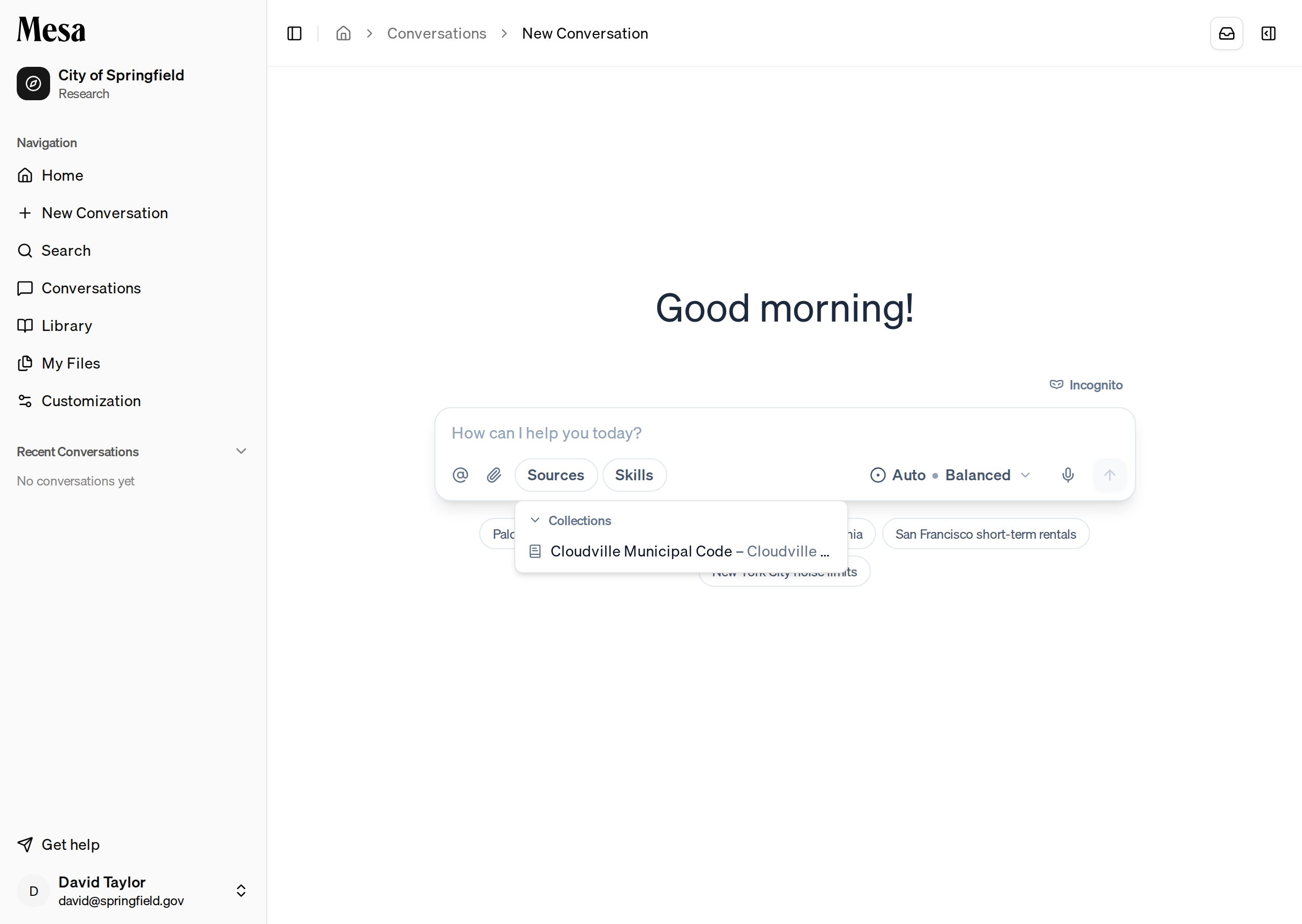
Stop a response
While Mesa is working on a response, a stop button (a square) appears on the chat box. Click it to ask the agent to stop; the agent wraps up and ends the response. If the agent doesn’t acknowledge the stop request after a few seconds, the button becomes Force stop. Click it to end the response immediately.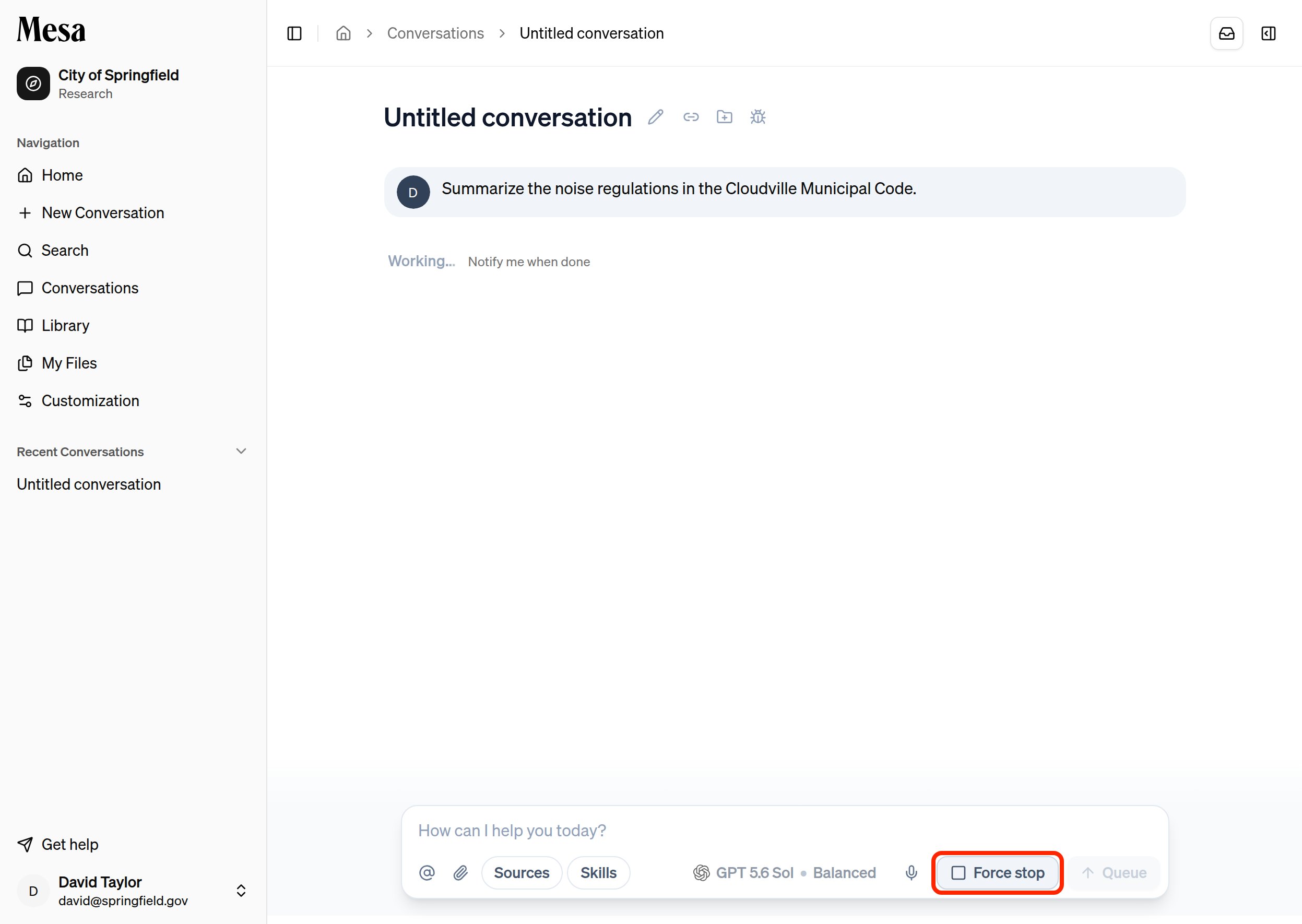
Stop a subagent
For larger requests, the agent may hand parts of the work to subagents that research in parallel. Each subagent appears as a card in the conversation, with its own stop button. Click it to stop just that subagent; the main agent is told it was stopped and carries on. As with the main response, the button becomes Force stop if the subagent doesn’t acknowledge the request.Background tasks
While the agent waits on work it has started in the background, such as subagents or exports, a Waiting on strip appears above the chat box with the number of tasks. Click it to see each task, labeled Subagent or Job, with its progress. Click a subagent’s name to jump to its card in the conversation or open it in the side panel.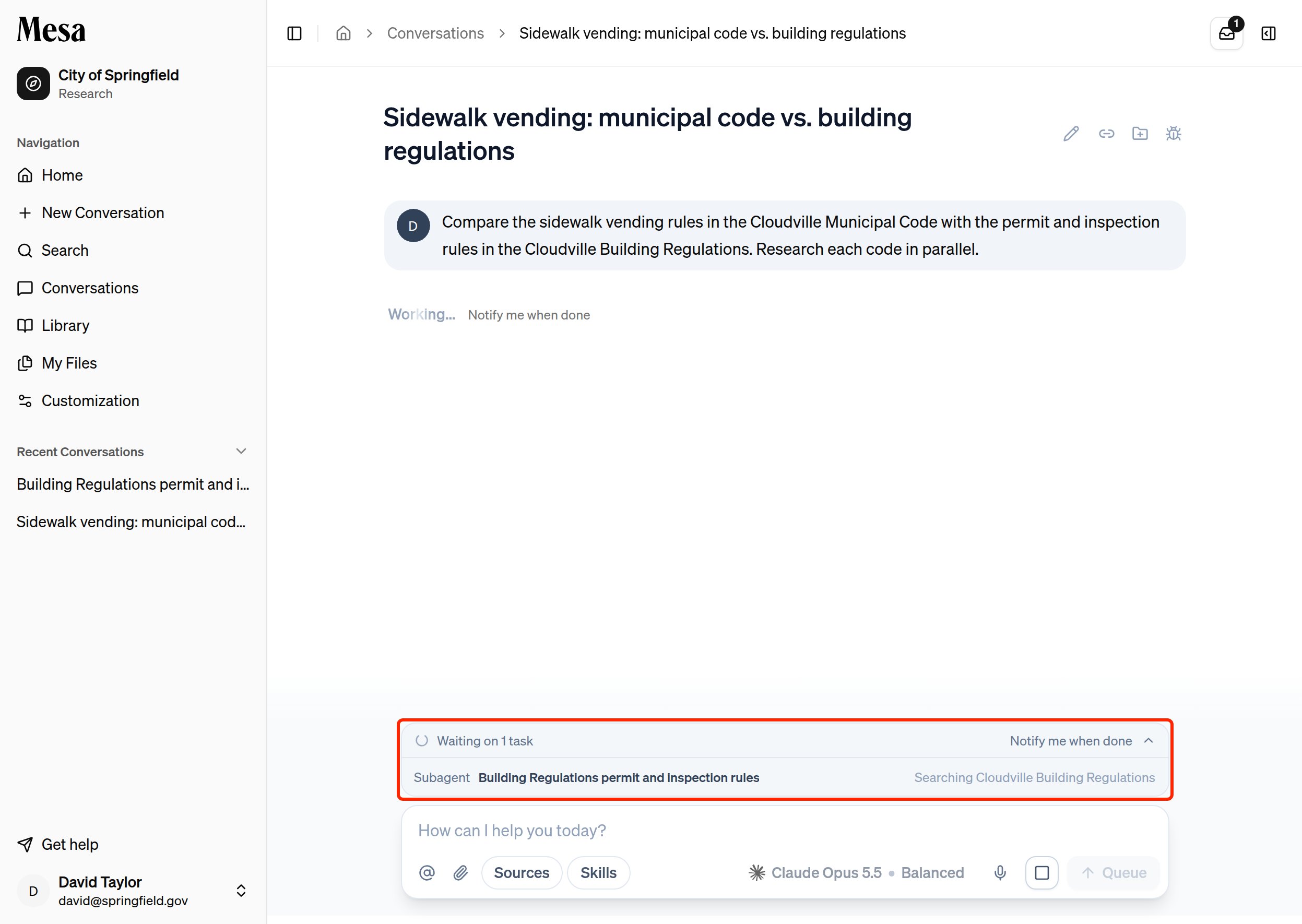
Keyboard shortcuts
Related articles
Writing effective prompts
Phrase your requests so Mesa gives you answers you can use directly.
Attachments and tagging files
Reference saved Mesa files directly from the chat box.
Skills
Invoke reusable task instructions from the chat box.