

Custom instructions vs. memories
Set custom instructions
On your Customization page, write your custom instructions in the textbox. Mesa applies them to every conversation. Changes apply to new conversations, not ones already in progress. To remove your instructions, clear the textbox.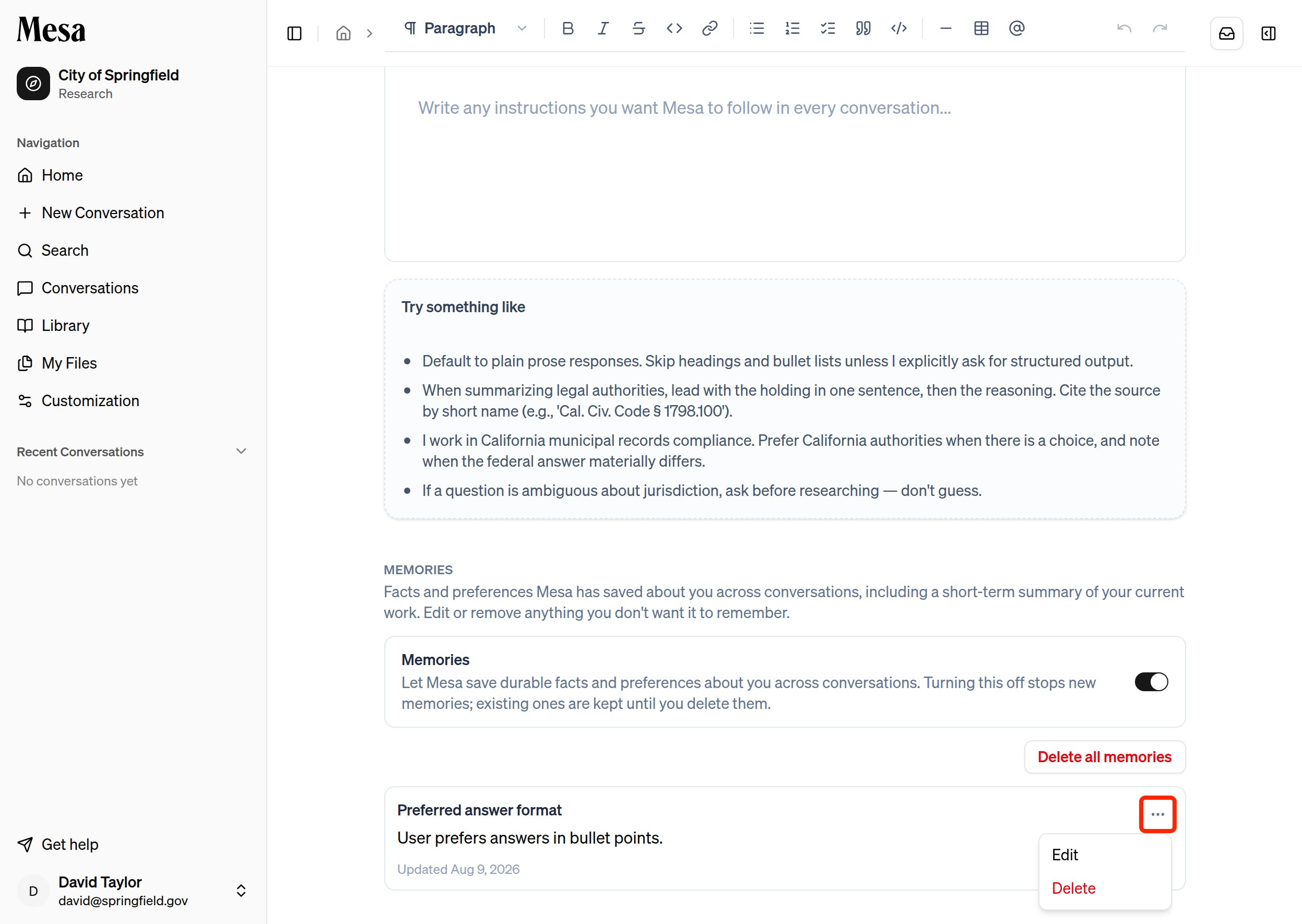
- Your role or practice area: “I’m a corporate associate focused on M&A transactions.”
- Your preferred output format: “Structure answers as memos with headings.”
- Jurisdiction defaults: “Apply New York law unless told otherwise.”
- Keep them concise so Mesa can apply them consistently.
Manage memories
Mesa generates memories automatically from your conversations. On the same Customization page, you can review every memory it has saved. Click the three dots next to a memory to edit it, or delete it if it’s outdated or wrong.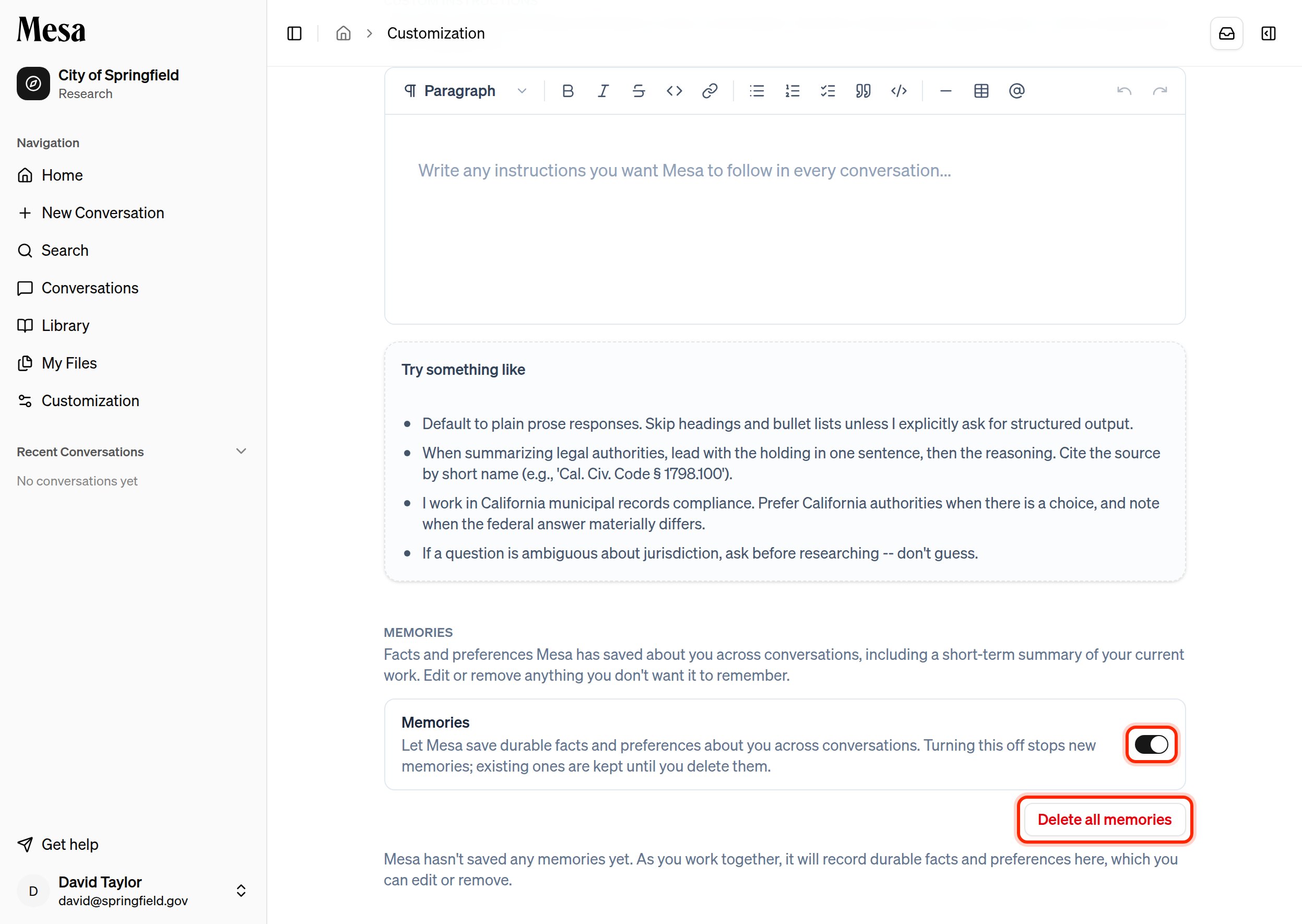
- Turn memories on or off with the toggle. Switching it off stops Mesa from creating new memories. Existing memories are kept and still applied until you remove them.
- Delete all memories clears everything Mesa has saved about you in one step. This can’t be undone.
Related articles
Skills
Create reusable instructions for specific recurring tasks.
Organization customization
Apply shared preferences across your whole workspace.
Writing effective prompts
Pair standing preferences with well-written individual prompts.