

Open your settings
1
Open the account menu
From the home page, click your name in the bottom-left corner.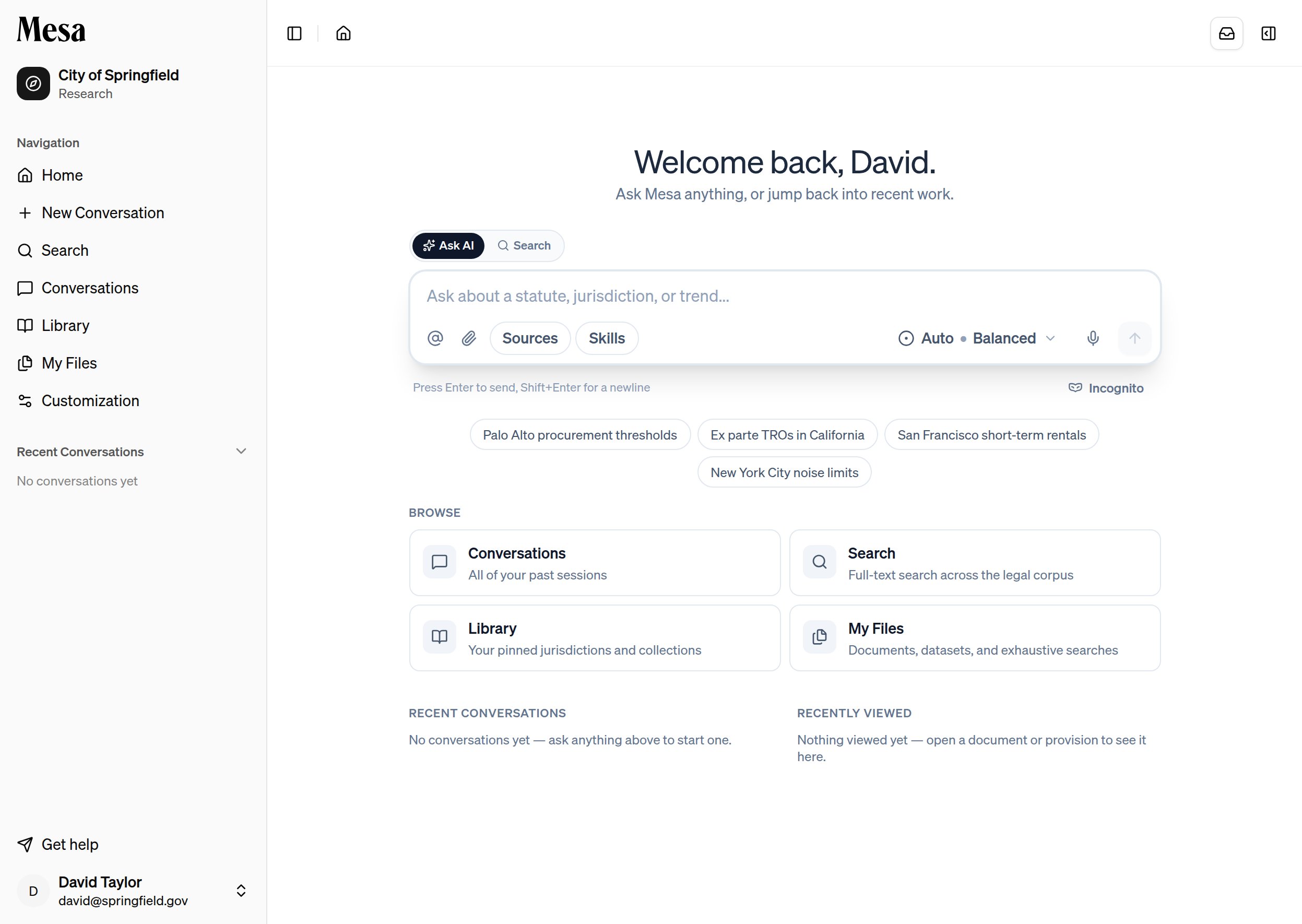
2
Click Settings
Select Settings from the menu.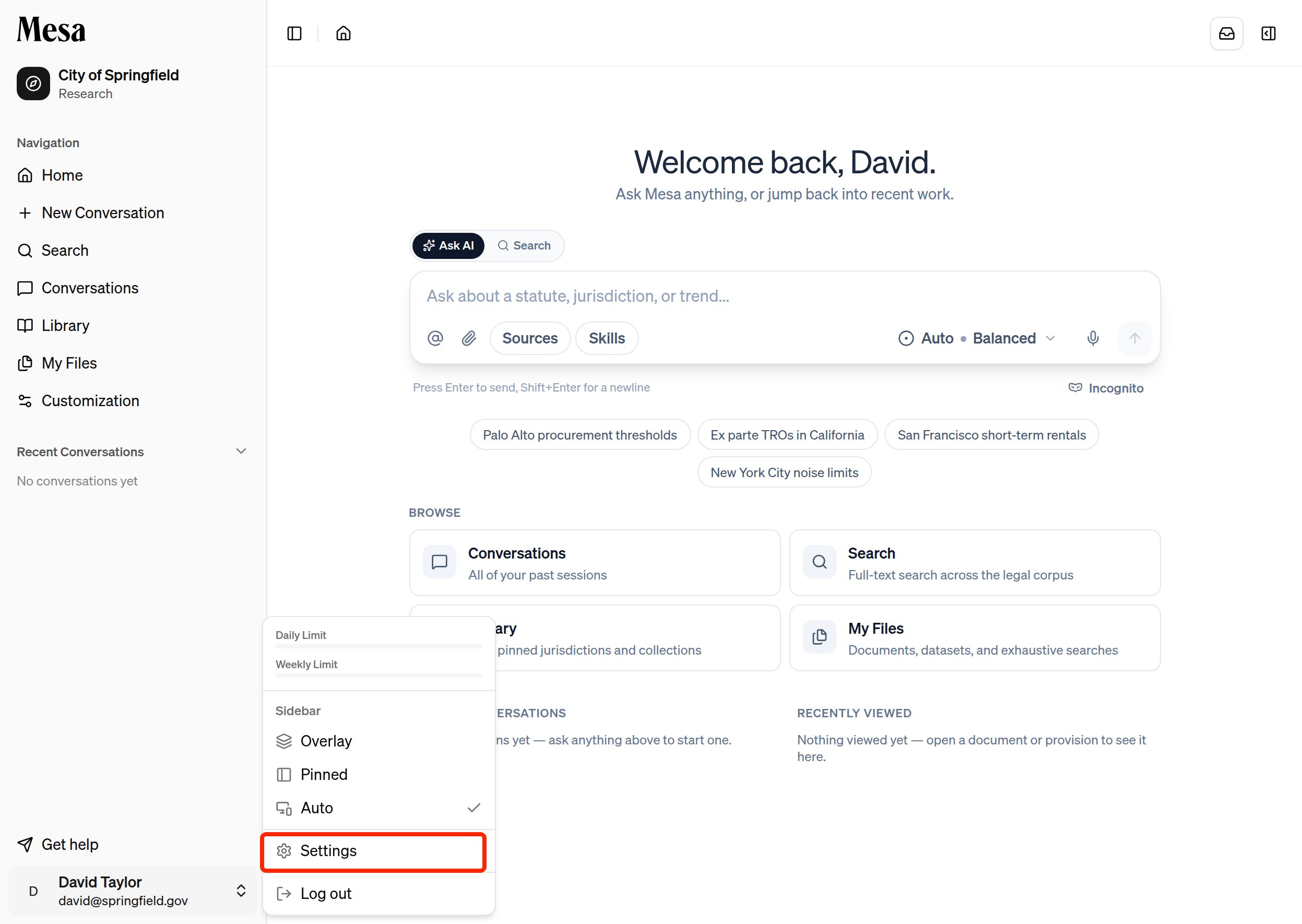
3
Adjust your Profile options
You land on the Profile tab, where all of the settings below live.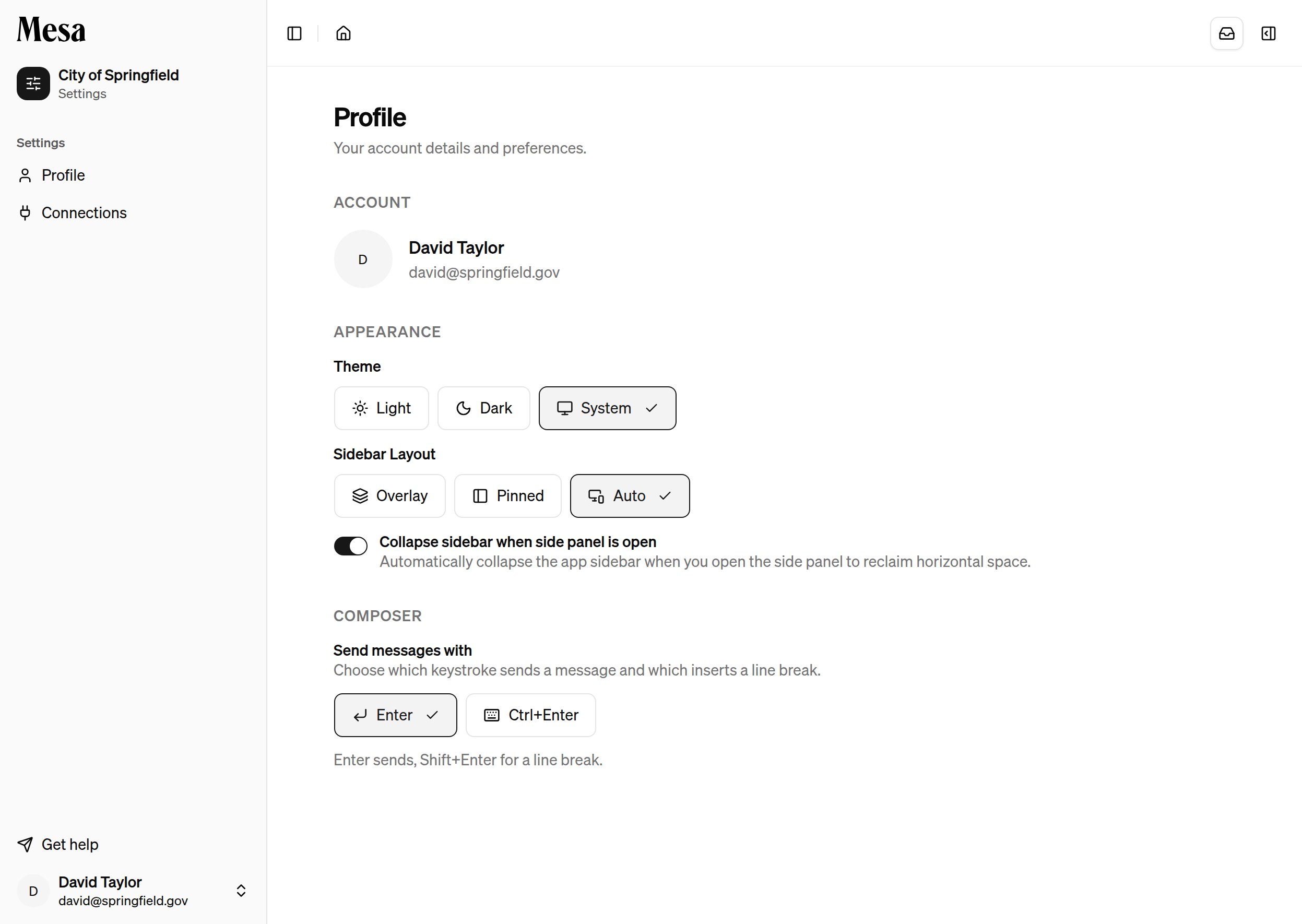
What each setting does
With Send messages with set to
Enter, pressing Enter sends your message and Shift + Enter starts a new line. Switch it if you often write multi-paragraph prompts and prefer Enter to create new lines instead.
Troubleshooting
If your settings aren’t saving, refresh the page and check again. Settings are tied to your personal account and persist across sessions.Related articles
Navigation
Get a full tour of the home page, sidebar, and side panel.
Connections
Link external storage accounts from the Connections tab in Settings.
Preferences
Set standing instructions that shape how Mesa responds to you.