

- Organization accounts: one for each organization you belong to. Each has its own conversations, files, roles, and usage limits.
- Portal accounts: one for each organization portal where you’ve opened a published document.
Choose an account
If you have more than one organization account, Mesa asks which one to use when you sign in. Click the organization you want to work in. The accounts you’ve used most recently are listed first.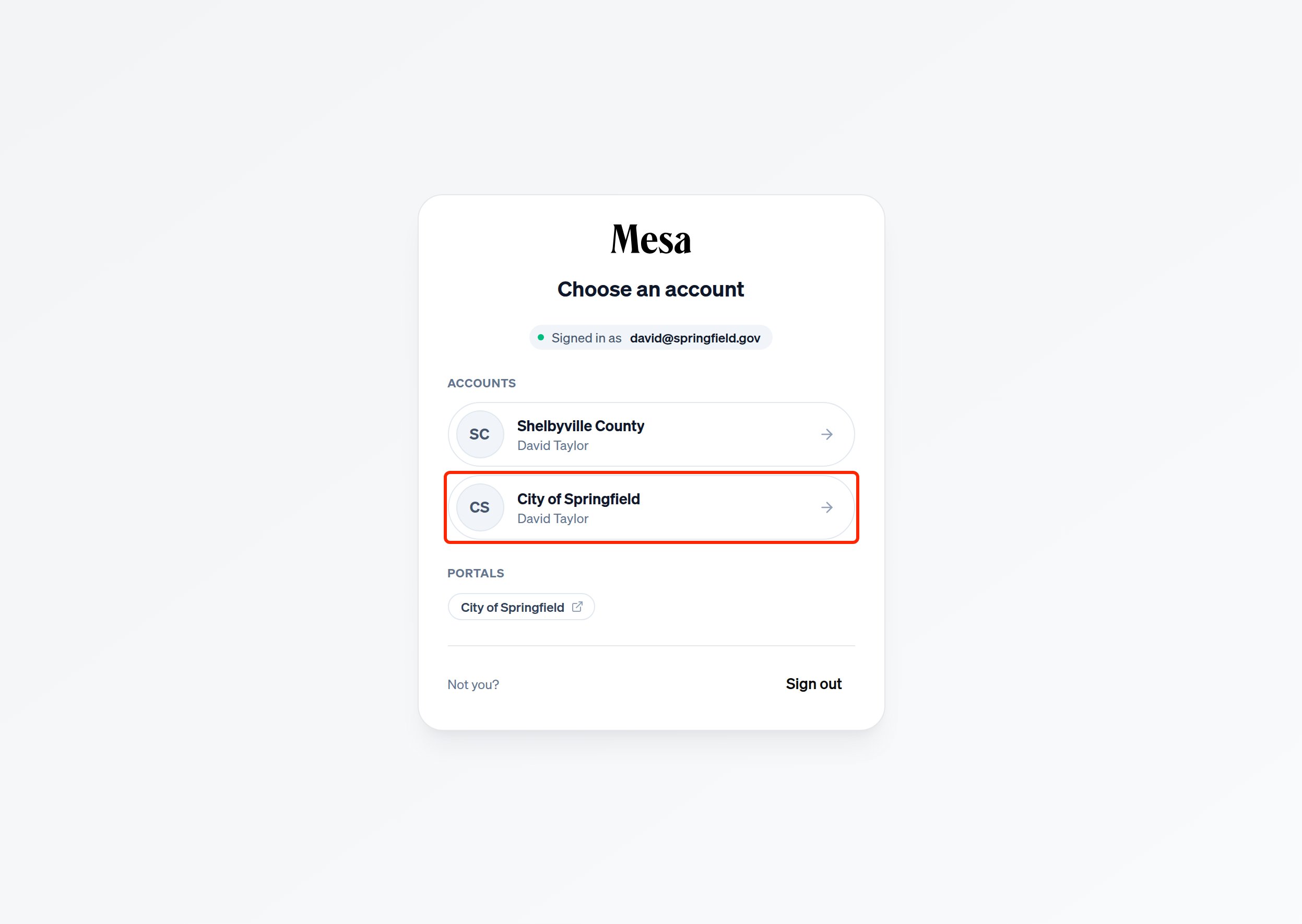
Accept an invitation
When an organization adds you as a member, the invitation appears under Invitations on the same screen. Click Accept to join the organization. It then appears in your list of accounts.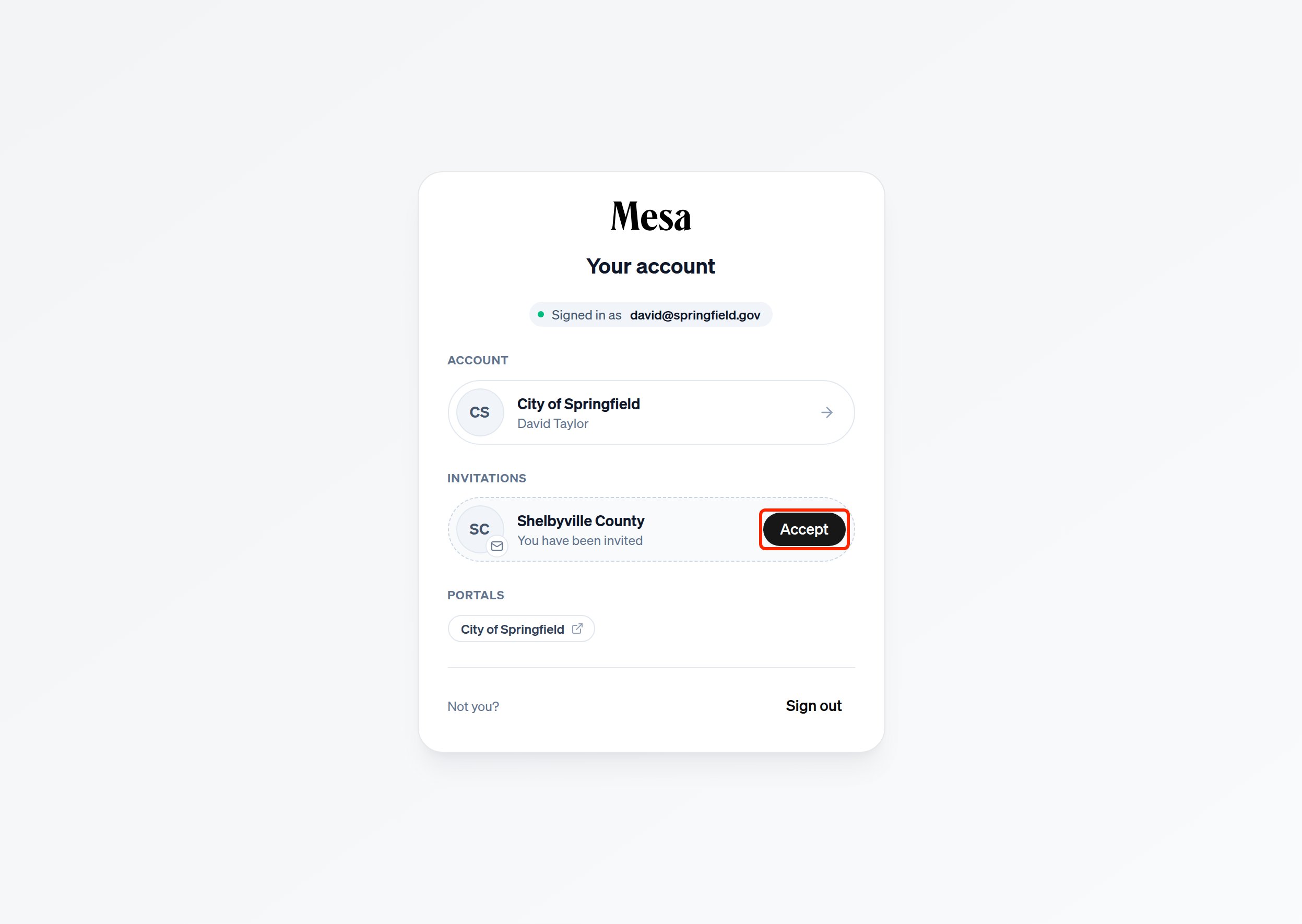
Switch accounts
To move to a different organization while you’re working, click your name at the bottom of the sidebar and choose Switch account.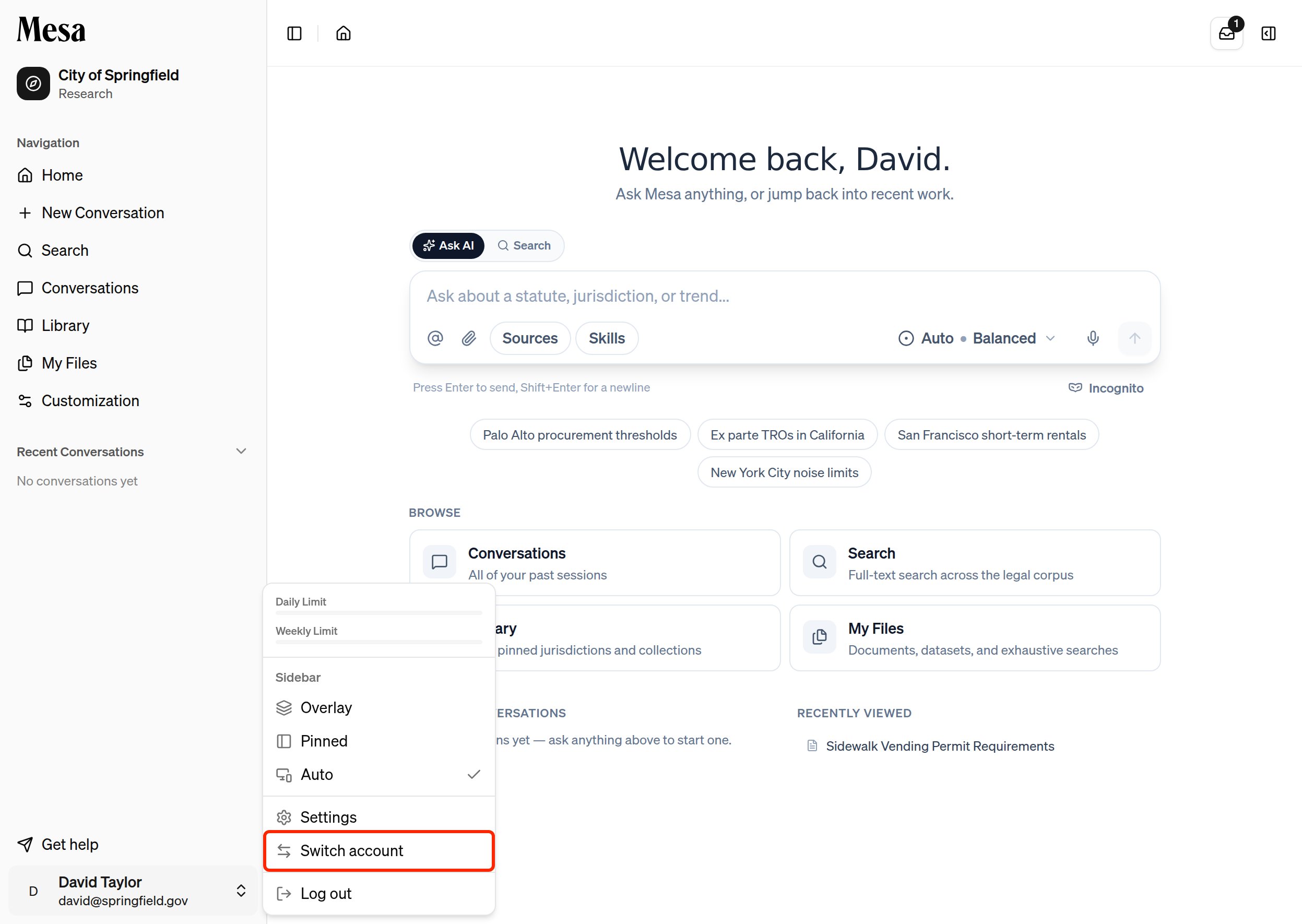
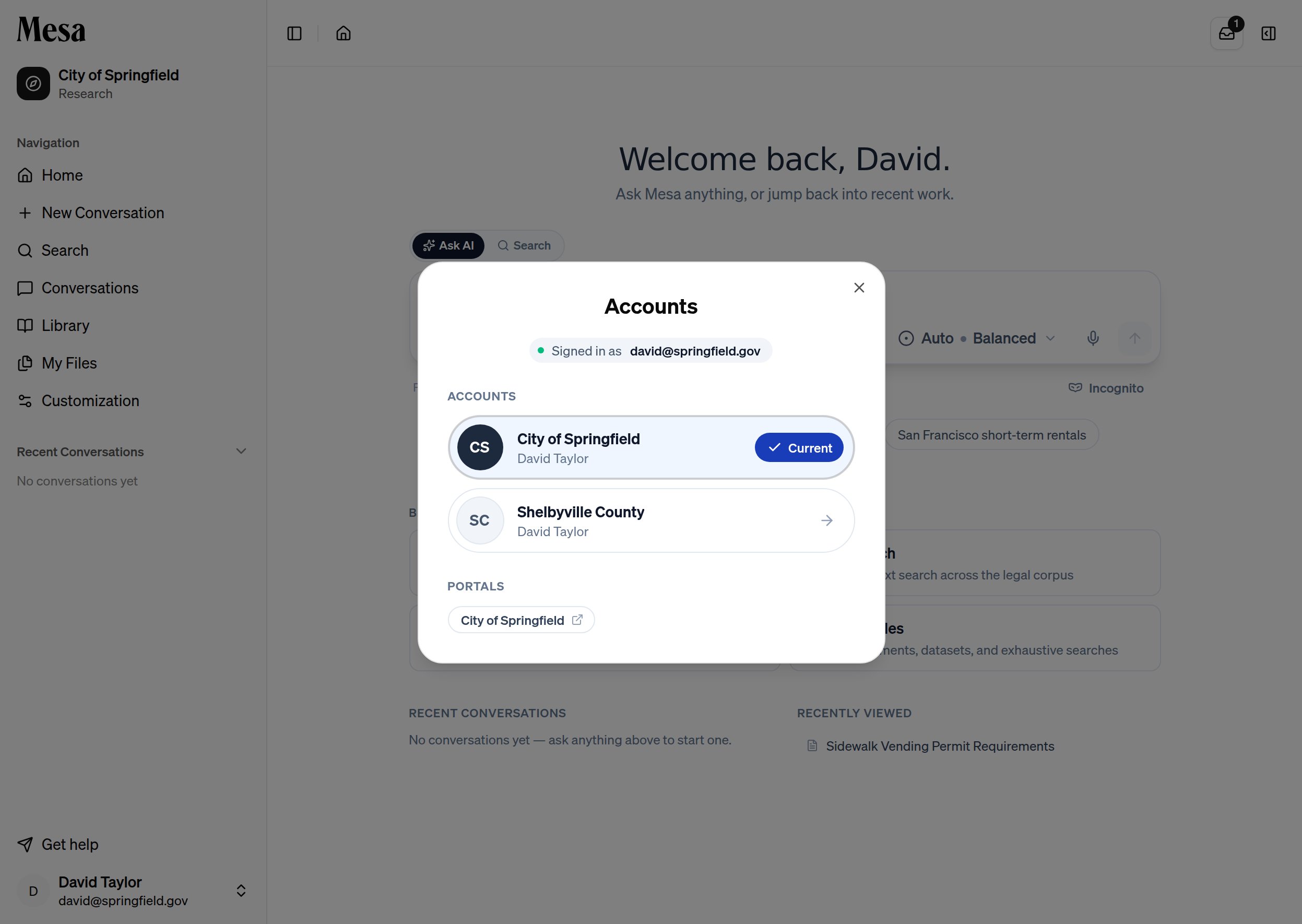
Know which account you’re in
If you belong to more than one organization, a banner at the top of the page briefly shows the organization and email you’re signed in with each time Mesa loads. Click Other accounts on the banner to see and switch to your other accounts, or click the X to dismiss it.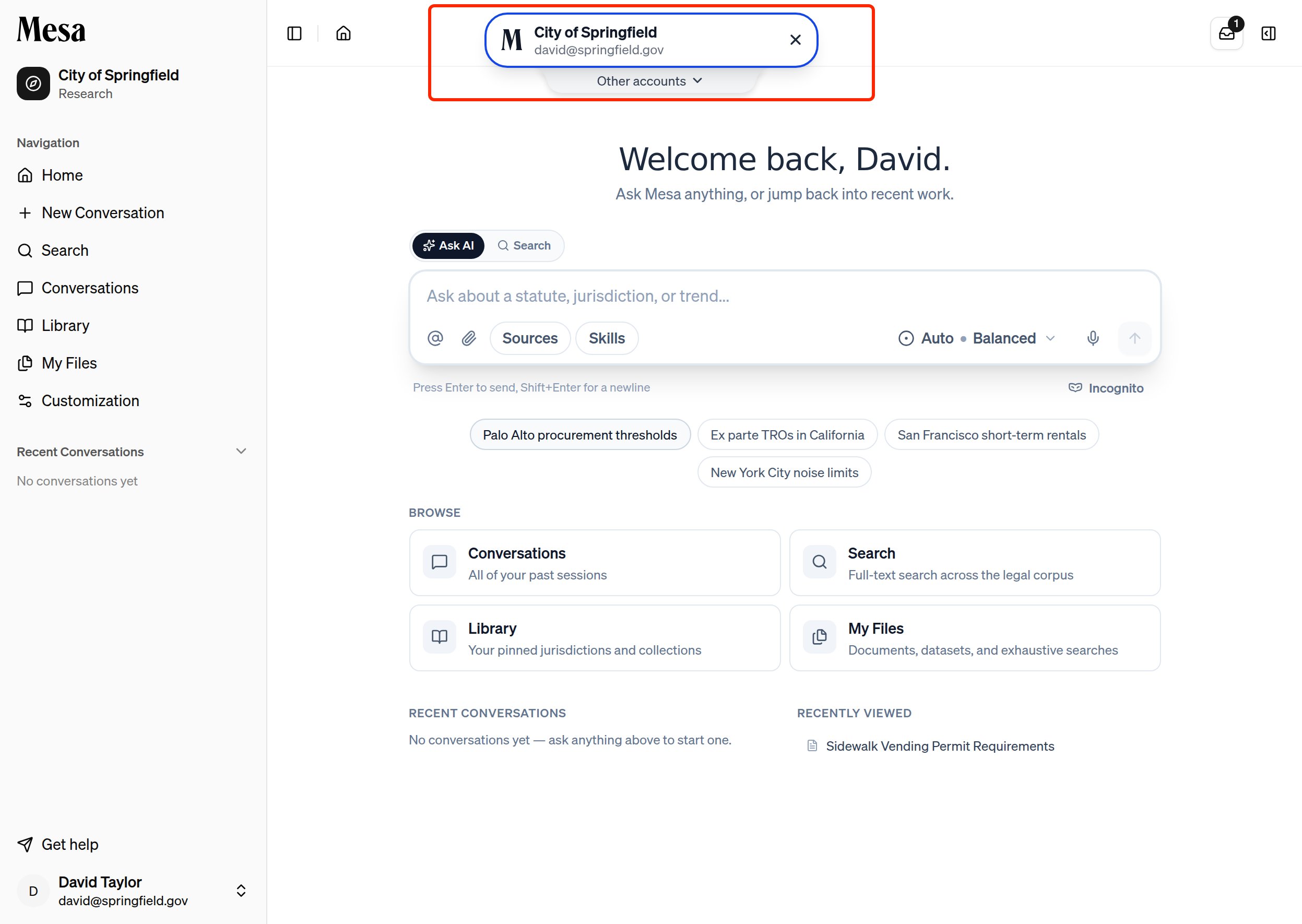
Related articles
Navigation
Find the account menu and the rest of the Mesa layout.
Organization portal
See what people outside Mesa see when you publish a report.
Organization admin
Learn how Owners add members to an organization.