

Select a model and effort level
Use the dropdown above the chat box on the home page to pick a model and effort level before you send your message. The picker leads with Auto and the three models that work best in Mesa; the rest are tucked under More models.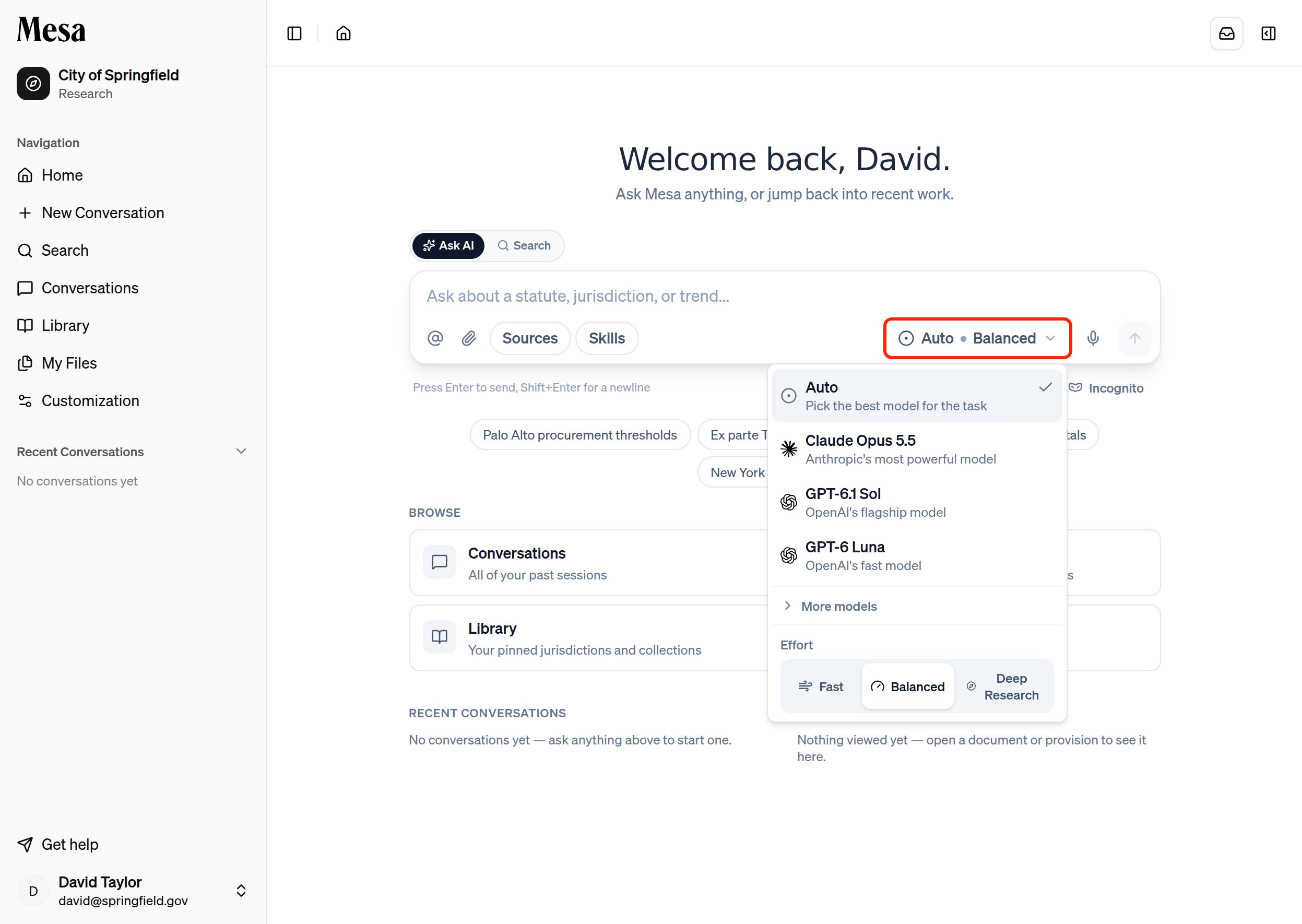
Compare models
Leave the model on Auto to let Mesa pick the best one for each task, or choose one of the three recommended models:
Open More models for additional options: Gemini 4 Argon (Google’s most intelligent model), Gemini 3.8 Flash (a fast Google model), Claude Sonnet 5.5 (a balanced Anthropic model), and Claude Haiku 5.5 (a fast Anthropic model).
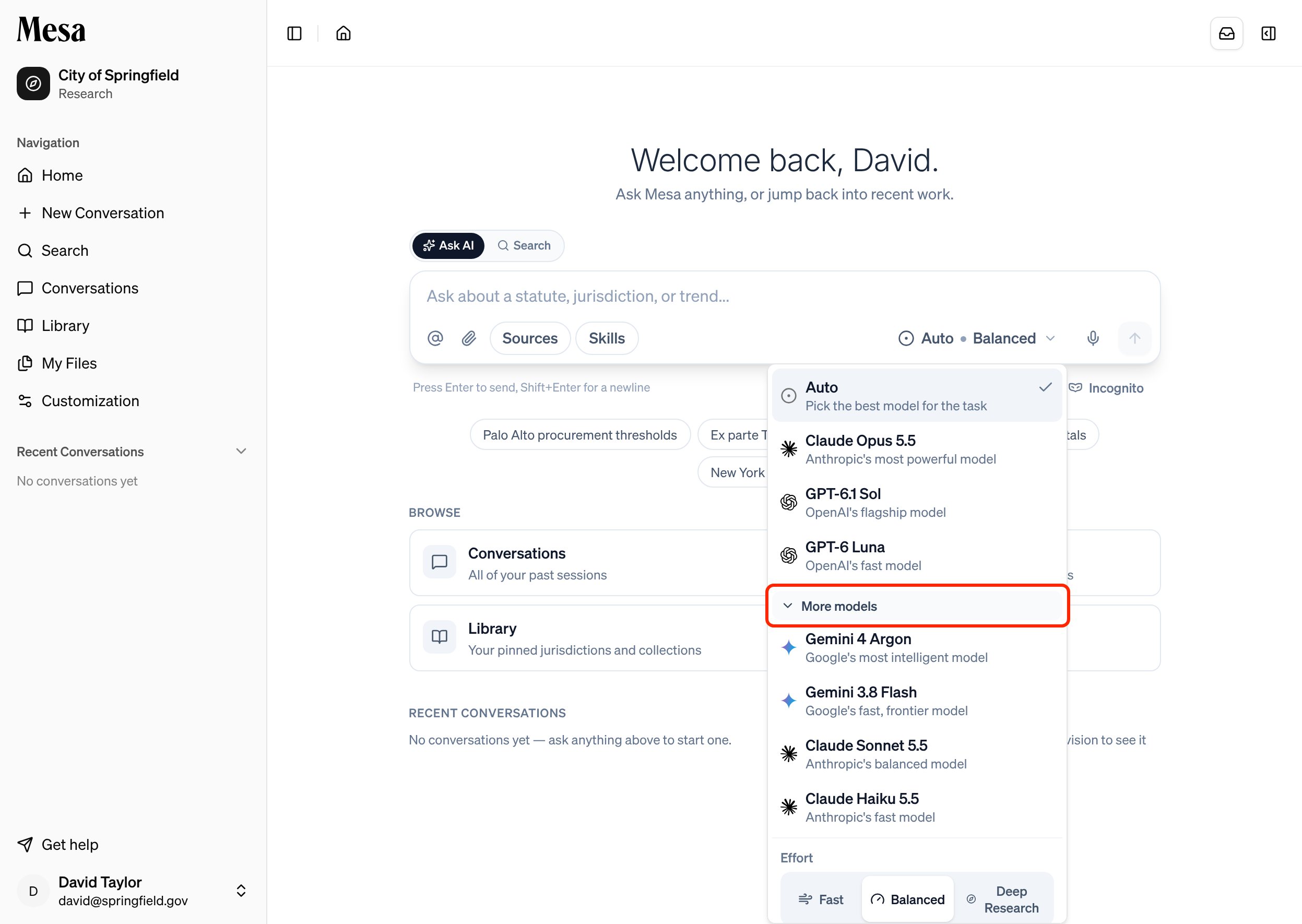
Older model versions have been moved out of the picker to keep the choice simple. A conversation that’s already pinned to an older model keeps using it.
Compare effort levels
Which combination should you pick?
- Quick lookup or simple question: a lighter model on Fast. You’ll get an answer in seconds without dipping into your allocation.
- Drafting a document or investigating a specific issue: a higher-capability model on Balanced.
- Comprehensive research, many documents, or a polished deliverable: a higher-capability model on Deep Research. Pair it with Notifications so you don’t have to wait at the screen.
Related articles
Usage
Track daily and weekly usage so you can plan your work.
Writing effective prompts
A well-written prompt matters as much as the model you pick.
Batches
Run one task across many items when completeness matters more than speed.