

Check your usage
Click your email in the bottom-left corner of the home page to see how much usage you’ve consumed and how much you have left.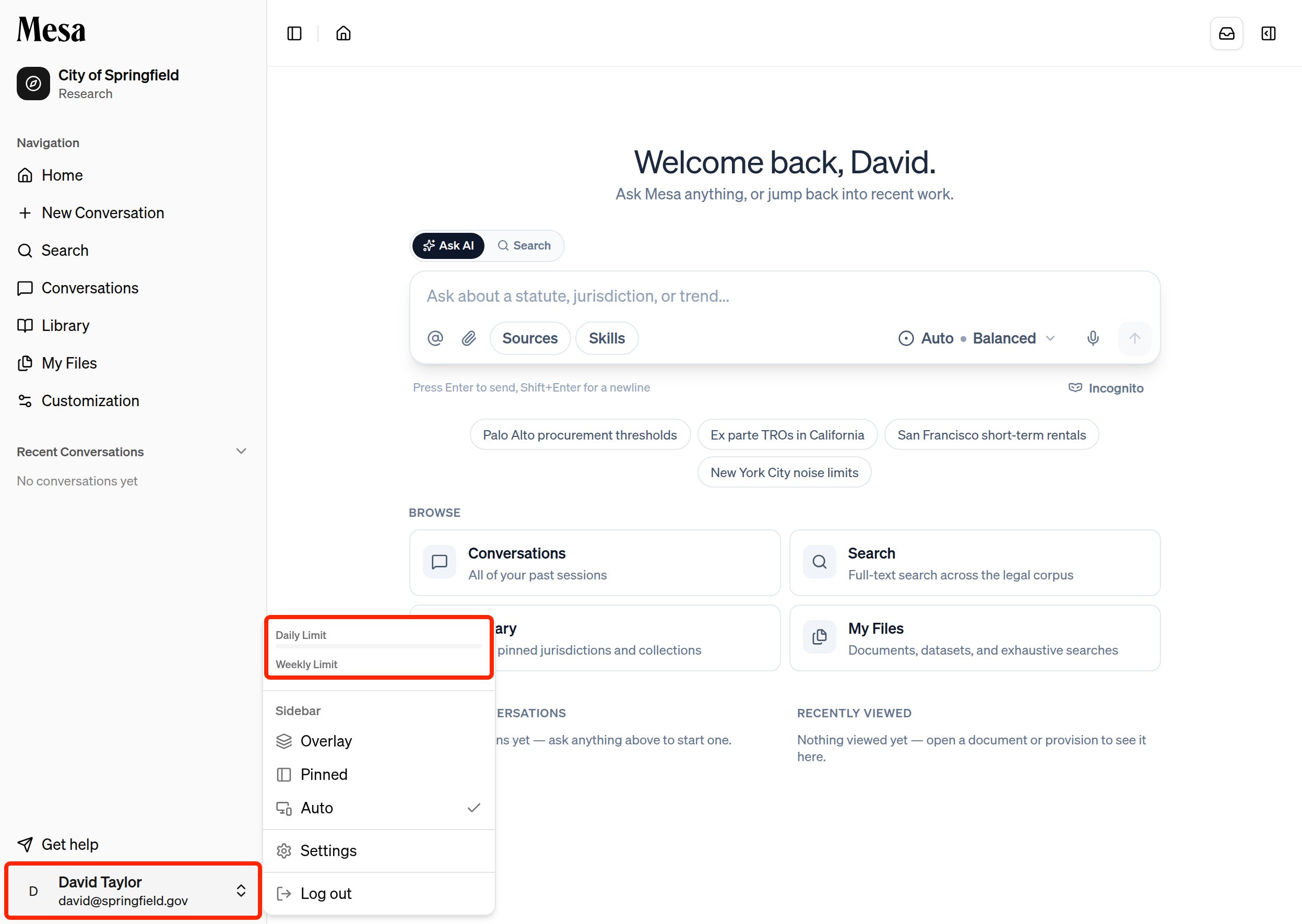
How usage works
Usage is shown as two values:- Daily usage tells you what you’ve used recently.
- Weekly usage helps you plan across a longer stretch of work.
Make the most of your allocation
- Use lighter models like Claude Sonnet 5, GPT 5.4 Mini, or Gemini 3.5 Flash for short questions and simple tasks.
- Reserve higher-capability models like Claude Opus 4.8 and GPT 5.5 for research, drafting, and complex work.
- Save Deep Research effort for tasks that involve large context, many files, or a deliverable-style output.
- Check your usage before starting a long work session so you’re not surprised mid-task.
Related articles
Models
Pick models and effort levels that fit your task and usage budget.
Organization admin
Owners: review organization-wide usage and adjust member allocations.
Settings
Manage your personal account from the same bottom-left menu.