> ## Documentation Index
> Fetch the complete documentation index at: https://support.calderapbc.com/llms.txt
> Use this file to discover all available pages before exploring further.
# Skills
> Save reusable, task-specific instructions that Mesa applies to recurring work.
Skills are reusable, task-specific instruction sets that tell Mesa how to handle a particular type of work. Think of a skill as a saved playbook for a recurring task, like always formatting output as a memo or running a specific compliance checklist during contract review. Once created, Mesa can apply a skill automatically, or you can invoke it yourself.
Skills are for specific tasks. For standing instructions that should apply to *every* conversation, such as tone, format, or default jurisdiction, use [Preferences](/preferences).
## Skills vs. preferences
| | Skills | Preferences |
| ------------ | ----------------------------------------------- | ------------------------------------------ |
| Scope | Task-specific | All conversations |
| When applied | Automatically based on description, or manually | Always |
| Best for | Recurring workflows and specialized tasks | Tone, formatting, and general instructions |
## Create a skill
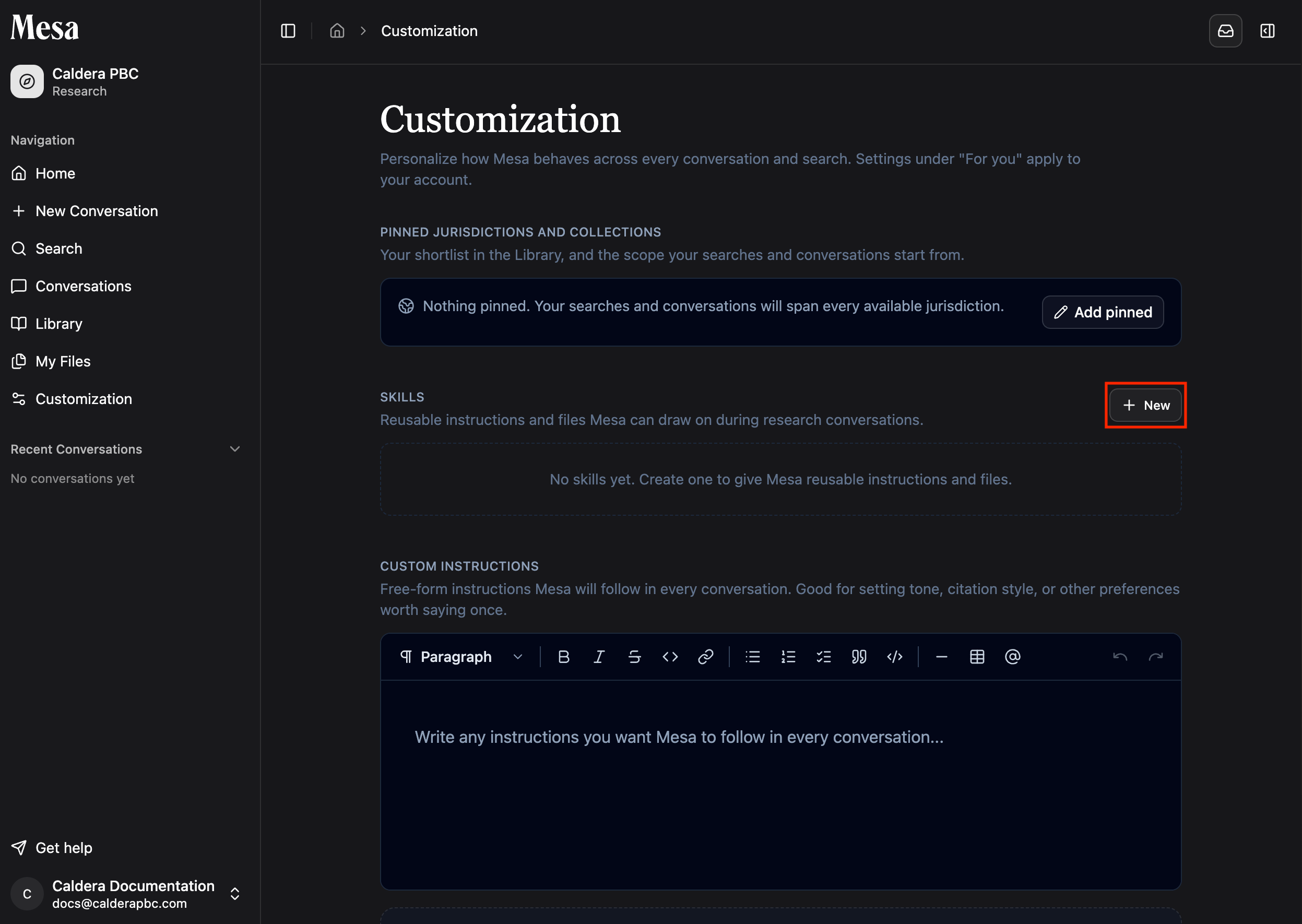
Go to your Customization page in the sidebar and open the **Skills** tab, then click **New**.
 Give the skill a name and a short description. Mesa reads the description when deciding whether to apply the skill automatically, so be specific about when it should be used.
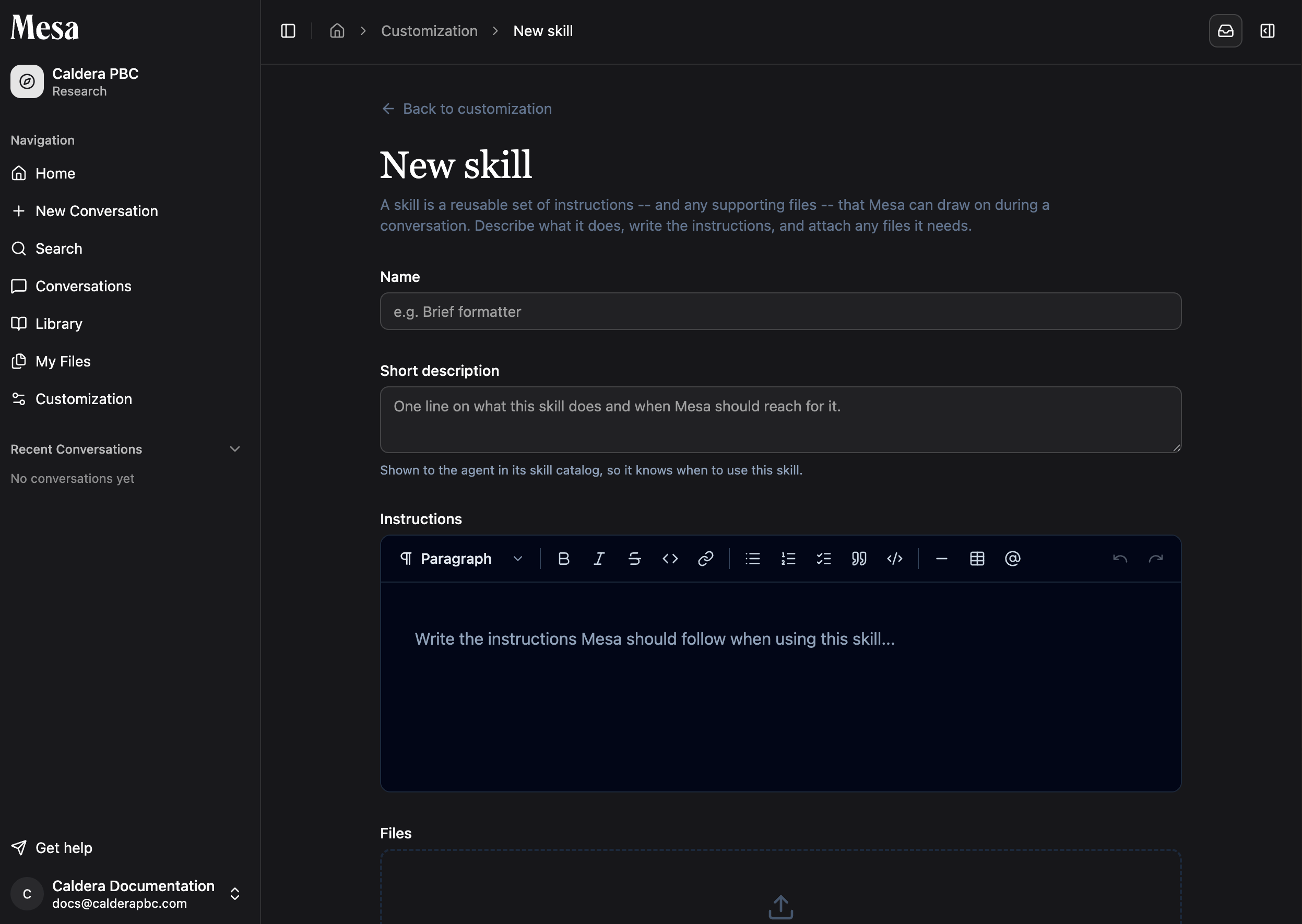 Don't agonize over the description; you can always invoke a skill manually, as described below.
Instructions are everything Mesa should know when using the skill:
* For a reusable set of guidelines, write the guidelines directly in the instructions.
* For supporting documents, explain what each file is and how Mesa should use it.
* For custom scripts, explain how to run the code you wrote.
Scripts work best when Mesa can use them without reading every line. Include a CLI and describe its commands in the instructions, or write functions and document their parameters and behavior.
Save it, and it's immediately available in your conversations.
## Use a skill in a conversation
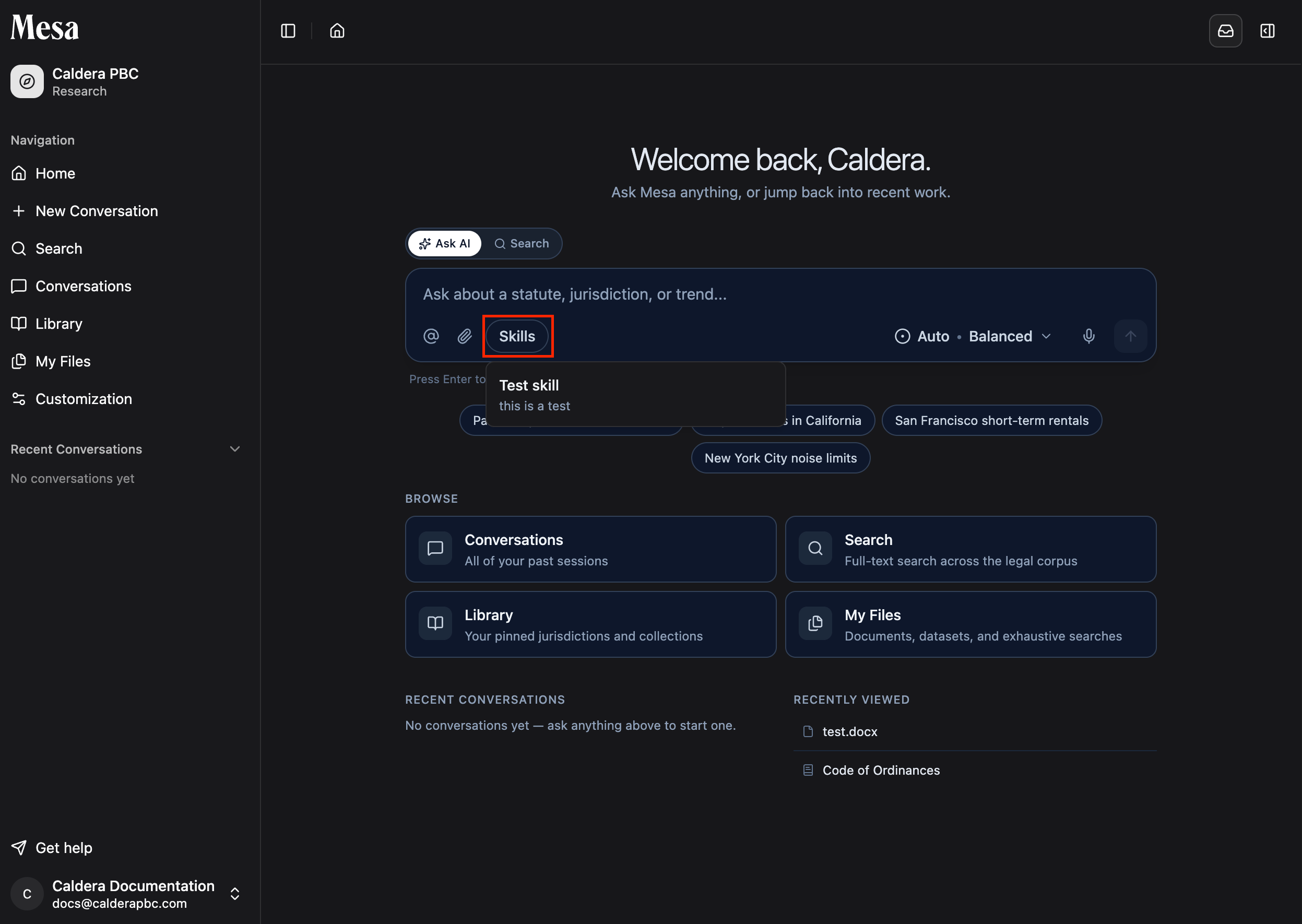
Mesa can see the skills you've created and applies them automatically when a request matches a skill's description. To invoke one explicitly, click the **Skills** button on the Home or New Conversation page and select the skill you want Mesa to use.
Don't agonize over the description; you can always invoke a skill manually, as described below.
Instructions are everything Mesa should know when using the skill:
* For a reusable set of guidelines, write the guidelines directly in the instructions.
* For supporting documents, explain what each file is and how Mesa should use it.
* For custom scripts, explain how to run the code you wrote.
Scripts work best when Mesa can use them without reading every line. Include a CLI and describe its commands in the instructions, or write functions and document their parameters and behavior.
Save it, and it's immediately available in your conversations.
## Use a skill in a conversation
Mesa can see the skills you've created and applies them automatically when a request matches a skill's description. To invoke one explicitly, click the **Skills** button on the Home or New Conversation page and select the skill you want Mesa to use.
 ## Write instructions that work
* State what the skill is for, what it should output, and any rules it must follow.
* If you attach code or scripts, describe what each function or command does and how Mesa should use it.
* For document templates, put the template structure directly in the instructions and tell Mesa to follow it.
* Keep skills task-specific; move anything that should apply everywhere into [Preferences](/preferences).
## Related articles
Set general instructions and memories that apply to every conversation.
Share skills with everyone in your organization.
Turn your best prompt patterns into skills worth saving.
## Write instructions that work
* State what the skill is for, what it should output, and any rules it must follow.
* If you attach code or scripts, describe what each function or command does and how Mesa should use it.
* For document templates, put the template structure directly in the instructions and tell Mesa to follow it.
* Keep skills task-specific; move anything that should apply everywhere into [Preferences](/preferences).
## Related articles
Set general instructions and memories that apply to every conversation.
Share skills with everyone in your organization.
Turn your best prompt patterns into skills worth saving.