> ## Documentation Index
> Fetch the complete documentation index at: https://support.calderapbc.com/llms.txt
> Use this file to discover all available pages before exploring further.
# Shortcuts
> File a pointer to any item into My Files so you can get back to it fast, without moving or copying the original.
A shortcut is a lightweight pointer you file into [My Files](/files). Instead of moving or duplicating something, you drop a link to it wherever it's convenient: a folder for a matter, a project, or a client. Opening the shortcut takes you straight to the original. Shortcuts work like the ones on your computer's desktop: renaming or deleting the shortcut never touches what it points at.
You can make a shortcut to:
* A **report**, **dataset**, **file**, **interactive**, or **exhaustive search**
* A **conversation**
* A **legal provision** or a whole **legal code** from the Library
## Add a shortcut
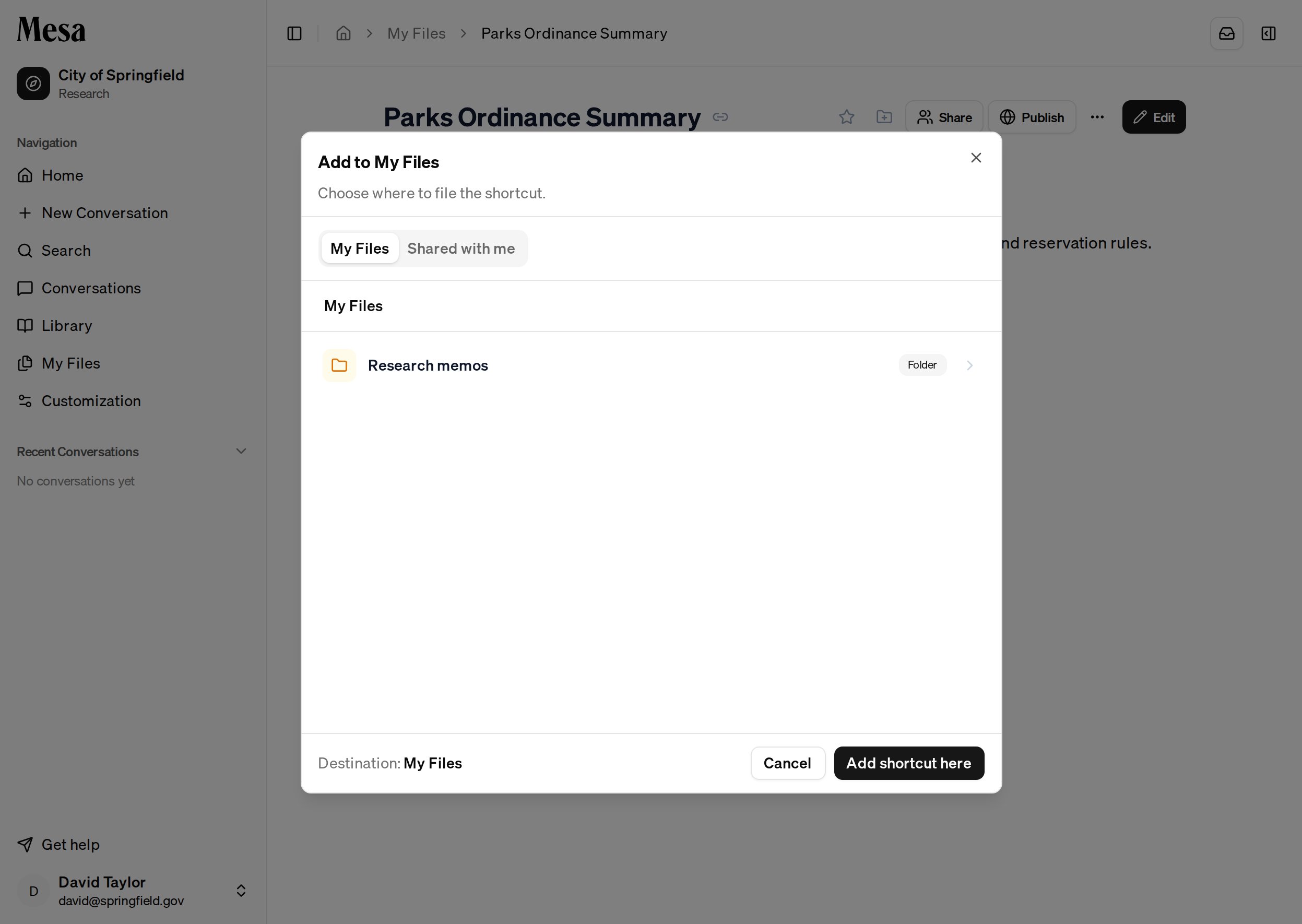
Look for the **Add to My Files** button (a folder-with-a-plus icon) on the item you want to file; it sits next to the share and bookmark controls on reports, files, datasets, interactives, and library content, and on each row in your Conversations list.
Open the item and click the **Add to My Files** icon.
Pick the folder in My Files where the shortcut should live, then click **Add shortcut here**.
 The shortcut takes its name from the item it points at. If you file it into a folder that's shared with others, Mesa offers to share the original item with the same people so the shortcut isn't a dead end for them.
## Spot a shortcut
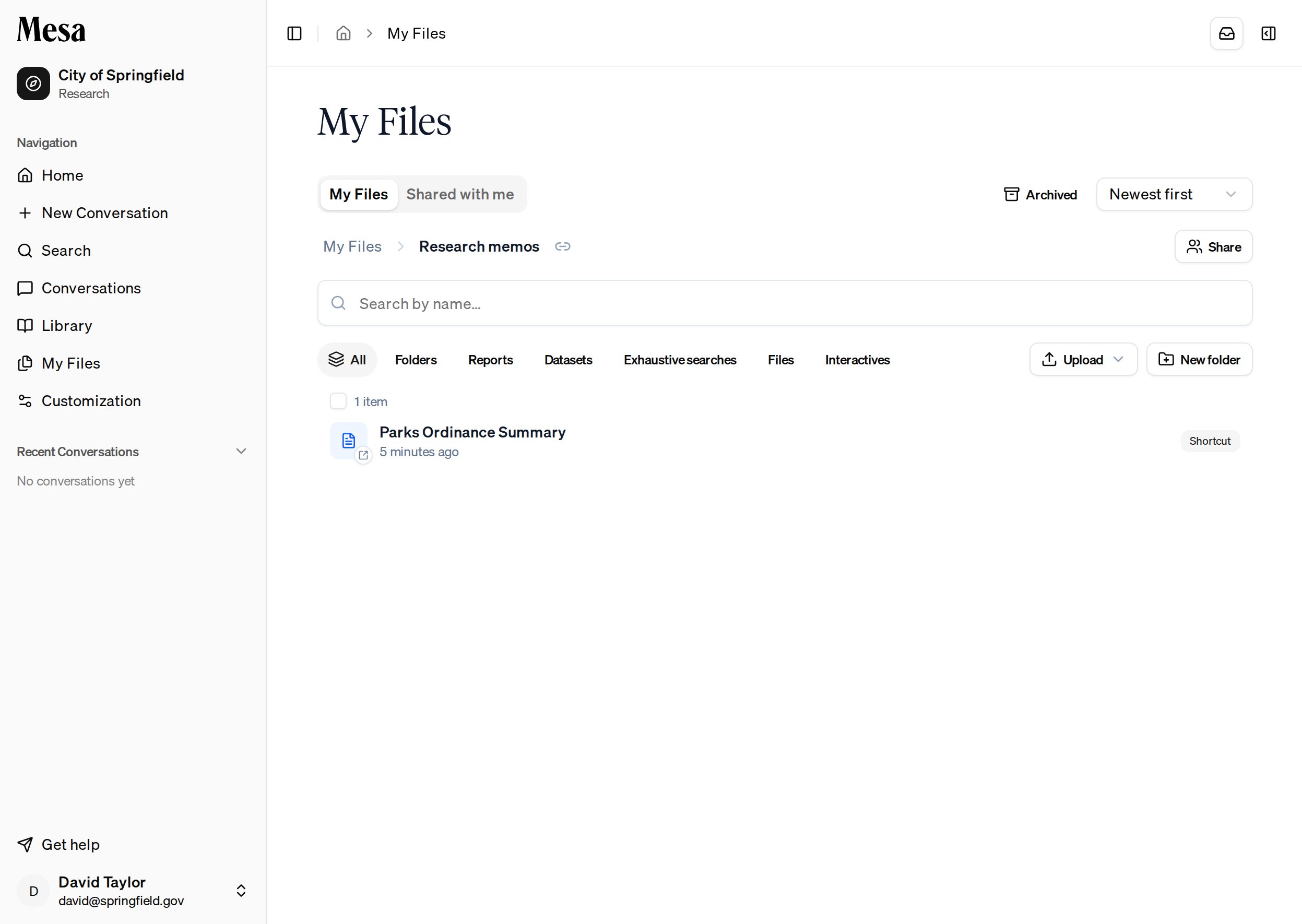
In My Files, a shortcut borrows the icon of whatever it points at but is clearly marked with a **Shortcut** badge and a small arrow on its icon. Double-click it to open the original.
The shortcut takes its name from the item it points at. If you file it into a folder that's shared with others, Mesa offers to share the original item with the same people so the shortcut isn't a dead end for them.
## Spot a shortcut
In My Files, a shortcut borrows the icon of whatever it points at but is clearly marked with a **Shortcut** badge and a small arrow on its icon. Double-click it to open the original.
 A shortcut only points; it grants no access of its own. If the original is later deleted, or shared only with people who can't see it, the shortcut says so instead of opening.
## Related articles
Organize the folders your shortcuts live in.
Pull a saved item into a conversation instead of filing a shortcut.
File a shortcut to an agent-built tool wherever you need it.
A shortcut only points; it grants no access of its own. If the original is later deleted, or shared only with people who can't see it, the shortcut says so instead of opening.
## Related articles
Organize the folders your shortcuts live in.
Pull a saved item into a conversation instead of filing a shortcut.
File a shortcut to an agent-built tool wherever you need it.