> ## Documentation Index
> Fetch the complete documentation index at: https://support.calderapbc.com/llms.txt
> Use this file to discover all available pages before exploring further.
# Search
> Look up provisions across your legal corpus quickly, with exact-phrase matching and scoped results.
Search finds the passages in your legal corpus that match your query and lists them directly, without running an AI agent. Use it when you know roughly what you're looking for and want to jump straight to the relevant provisions. When you'd rather ask a question and have Mesa reason over the corpus for you, switch to [Ask AI](/models) instead.
## Search vs. Ask AI
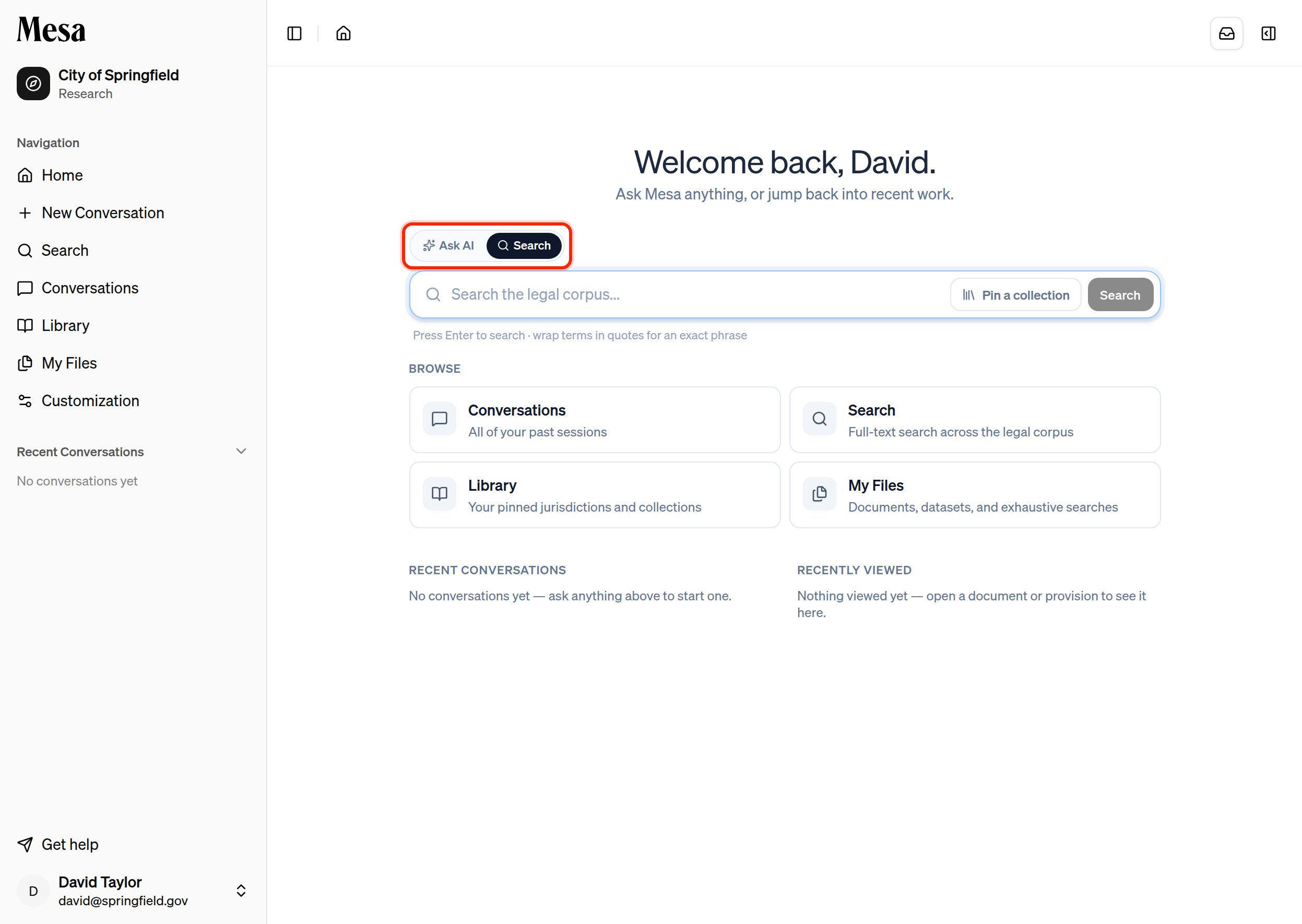
The Home composer has two modes. Toggle between them above the chat box.
 | | Search | Ask AI |
| ------------ | ------------------------------------ | ----------------------------------------------- |
| What it does | Lists passages that match your query | Runs an agent that reads the corpus and answers |
| Speed | Immediate | Takes longer to reason and respond |
| Output | A ranked list of matching provisions | A conversational answer |
| Best for | Finding a known provision or term | Questions, drafting, and analysis |
Pick **Search**, type your query, and press Enter to open the results on the Search page.
## Require an exact phrase
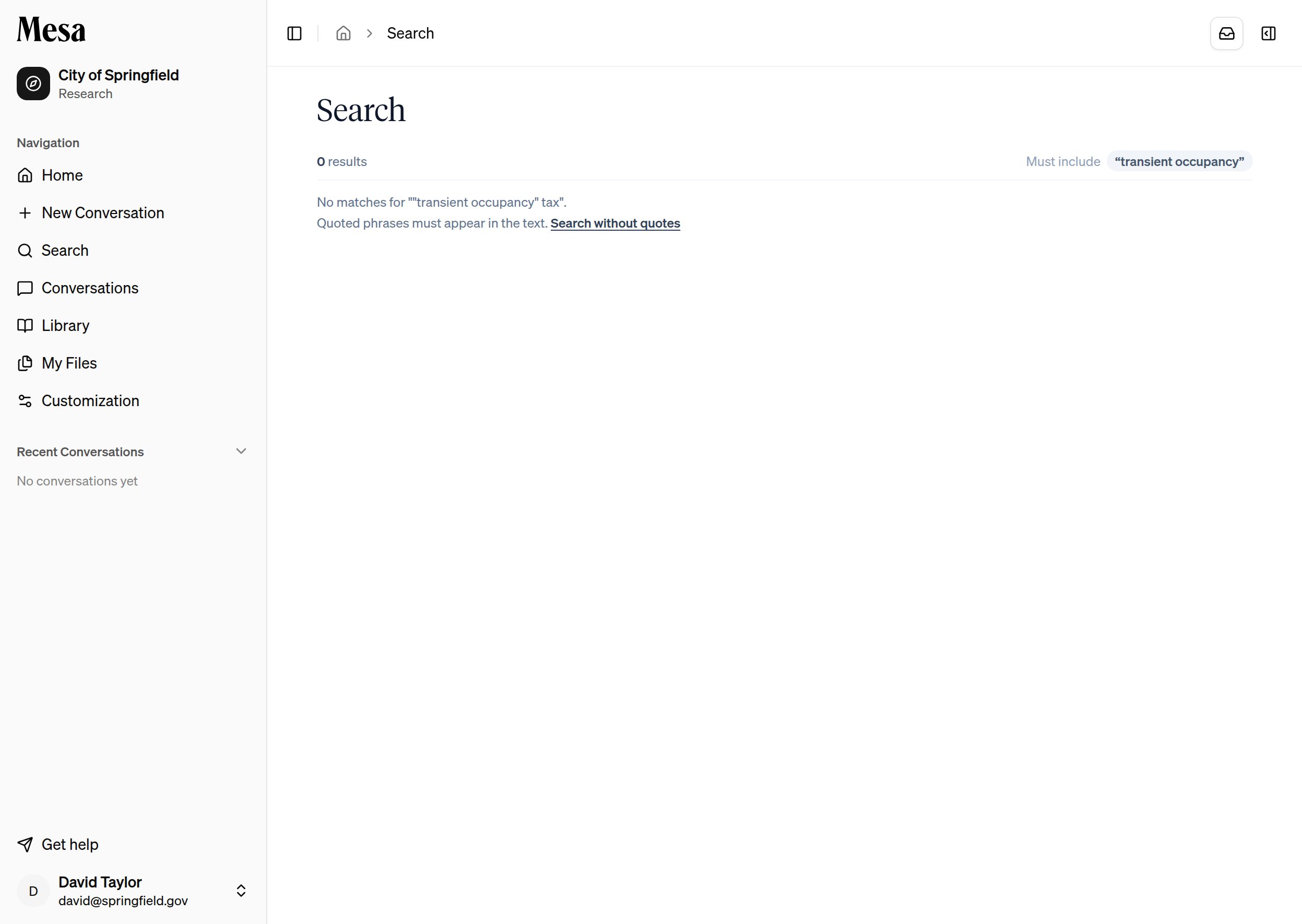
By default, Search matches the words in your query flexibly. To require an exact, contiguous phrase, wrap it in quotation marks. Mesa treats the quoted text as a hard constraint: only passages that contain the phrase exactly are returned.
| | Search | Ask AI |
| ------------ | ------------------------------------ | ----------------------------------------------- |
| What it does | Lists passages that match your query | Runs an agent that reads the corpus and answers |
| Speed | Immediate | Takes longer to reason and respond |
| Output | A ranked list of matching provisions | A conversational answer |
| Best for | Finding a known provision or term | Questions, drafting, and analysis |
Pick **Search**, type your query, and press Enter to open the results on the Search page.
## Require an exact phrase
By default, Search matches the words in your query flexibly. To require an exact, contiguous phrase, wrap it in quotation marks. Mesa treats the quoted text as a hard constraint: only passages that contain the phrase exactly are returned.
 * You can combine a quoted phrase with other, unquoted terms in the same query.
* The active phrase constraints appear as **Must include** chips above your results, so you can see exactly why the list is narrow.
If a quoted search returns too few results, click **Search without quotes** to re-run the same query with the phrase constraint relaxed.
## Narrow the scope
Use **Pin a collection** next to the search box to limit results to a single jurisdiction, regulation, or collection instead of your entire corpus. Clear it to search everything again.
You can also search from inside a piece of content: while reading in the [Library](/library), choose **Search only this section** to keep results within the page you're on.
## Open a result
Each result links to the provision in the Library, where you can read it in full, annotate it, or pin it. Your query stays on the Search page, so you can move between matches without re-running the search.
## Related articles
Browse and read the legal content that Search draws from.
Catalogue every matching item in a corpus, not just the best matches.
Switch to Ask AI to have an agent reason over the corpus for you.
* You can combine a quoted phrase with other, unquoted terms in the same query.
* The active phrase constraints appear as **Must include** chips above your results, so you can see exactly why the list is narrow.
If a quoted search returns too few results, click **Search without quotes** to re-run the same query with the phrase constraint relaxed.
## Narrow the scope
Use **Pin a collection** next to the search box to limit results to a single jurisdiction, regulation, or collection instead of your entire corpus. Clear it to search everything again.
You can also search from inside a piece of content: while reading in the [Library](/library), choose **Search only this section** to keep results within the page you're on.
## Open a result
Each result links to the provision in the Library, where you can read it in full, annotate it, or pin it. Your query stays on the Search page, so you can move between matches without re-running the search.
## Related articles
Browse and read the legal content that Search draws from.
Catalogue every matching item in a corpus, not just the best matches.
Switch to Ask AI to have an agent reason over the corpus for you.