> ## Documentation Index
> Fetch the complete documentation index at: https://support.calderapbc.com/llms.txt
> Use this file to discover all available pages before exploring further.
# Notifications
> Get alerted the moment a long-running request finishes, so you can step away.
Long-running tasks like deep research and exhaustive searches don't need you to watch the screen. Ask Mesa to notify you, step away, and come back the moment your results are ready.
## Request a notification
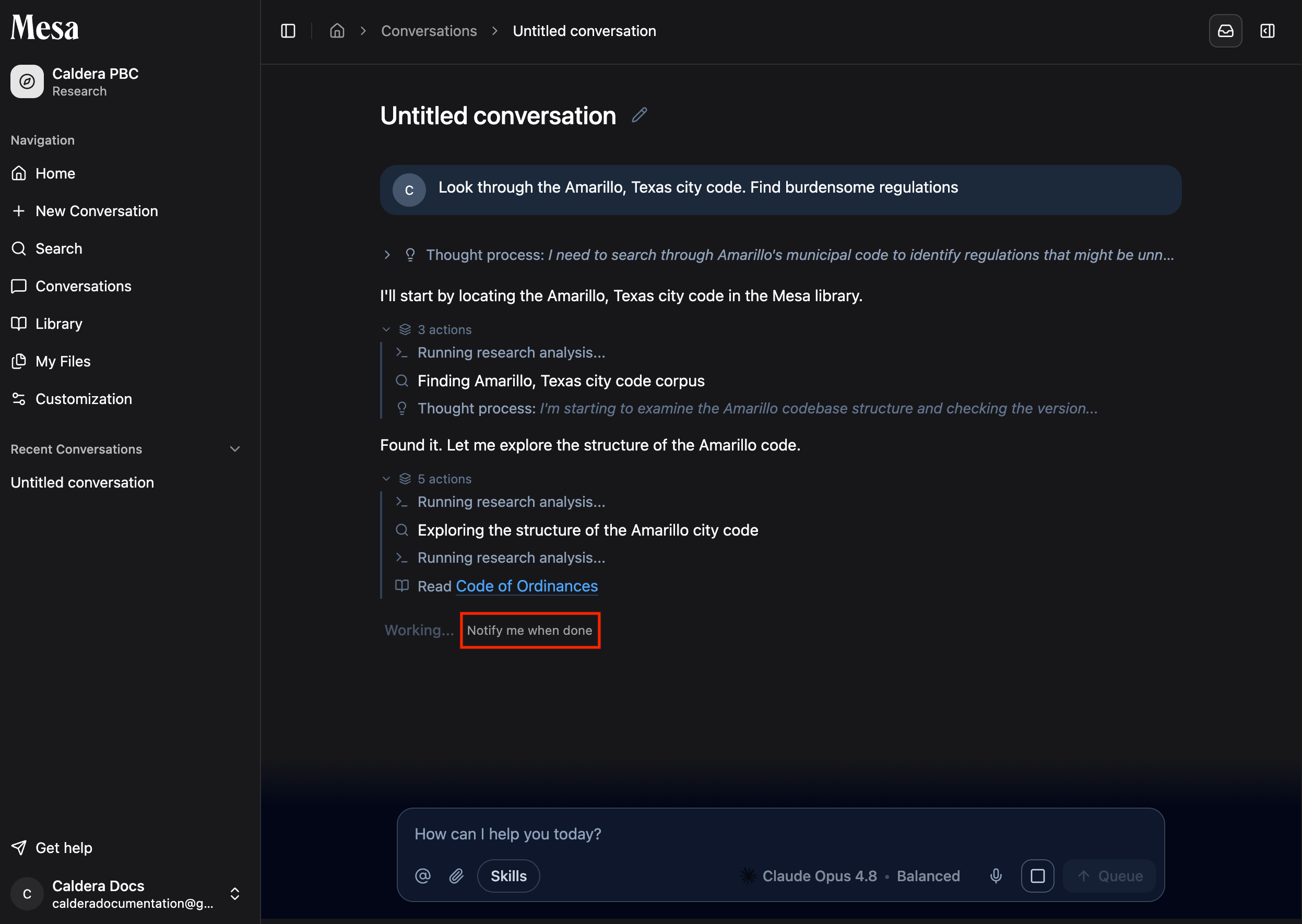
While any agent is running, click **Notify me when done**. Mesa will alert you two ways when the request completes: an in-app notification and an email to your registered address.
 ## How notifications work
Kick off something that takes a while, such as an exhaustive search or a Deep Research task.
The button is available any time the agent is still running.
Mesa creates an in-app notification, which you can open from the bell icon in the top-right, and sends an email to your registered address.
Not sure where the bell icon is? See [Navigation](/navigation).
## Troubleshooting
If you don't receive an email notification, check your spam folder and confirm your account email is correct in [Settings](/settings).
## Related articles
The comprehensive search mode that pairs best with notifications.
Deep Research effort runs longer, so it's a good time to request an alert.
Find the notification bell and the rest of the Mesa layout.
## How notifications work
Kick off something that takes a while, such as an exhaustive search or a Deep Research task.
The button is available any time the agent is still running.
Mesa creates an in-app notification, which you can open from the bell icon in the top-right, and sends an email to your registered address.
Not sure where the bell icon is? See [Navigation](/navigation).
## Troubleshooting
If you don't receive an email notification, check your spam folder and confirm your account email is correct in [Settings](/settings).
## Related articles
The comprehensive search mode that pairs best with notifications.
Deep Research effort runs longer, so it's a good time to request an alert.
Find the notification bell and the rest of the Mesa layout.