> ## Documentation Index
> Fetch the complete documentation index at: https://support.calderapbc.com/llms.txt
> Use this file to discover all available pages before exploring further.
# Library
> Browse, annotate, search, and pin legal content from Mesa's built-in library.
The Library is Mesa's built-in legal content hub. Browse jurisdictions, regulations, and collections; annotate as you read; and pin the content most relevant to your practice so it's always one click away.
## Browse the Library
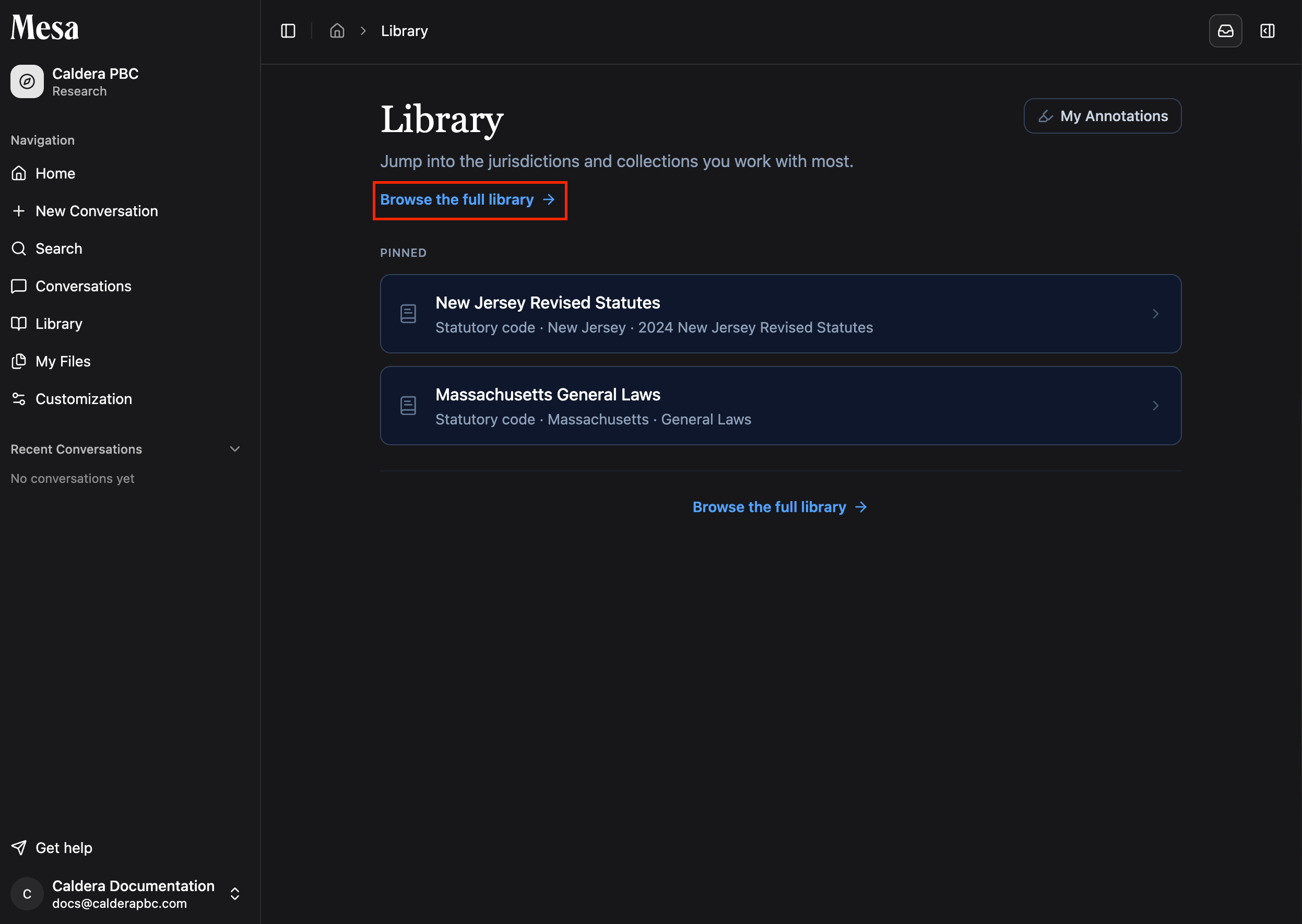
Open the **Library** tab from the sidebar. Your organization may have already pinned jurisdictions and collections for you; otherwise, click **Browse the full library** to explore everything available.
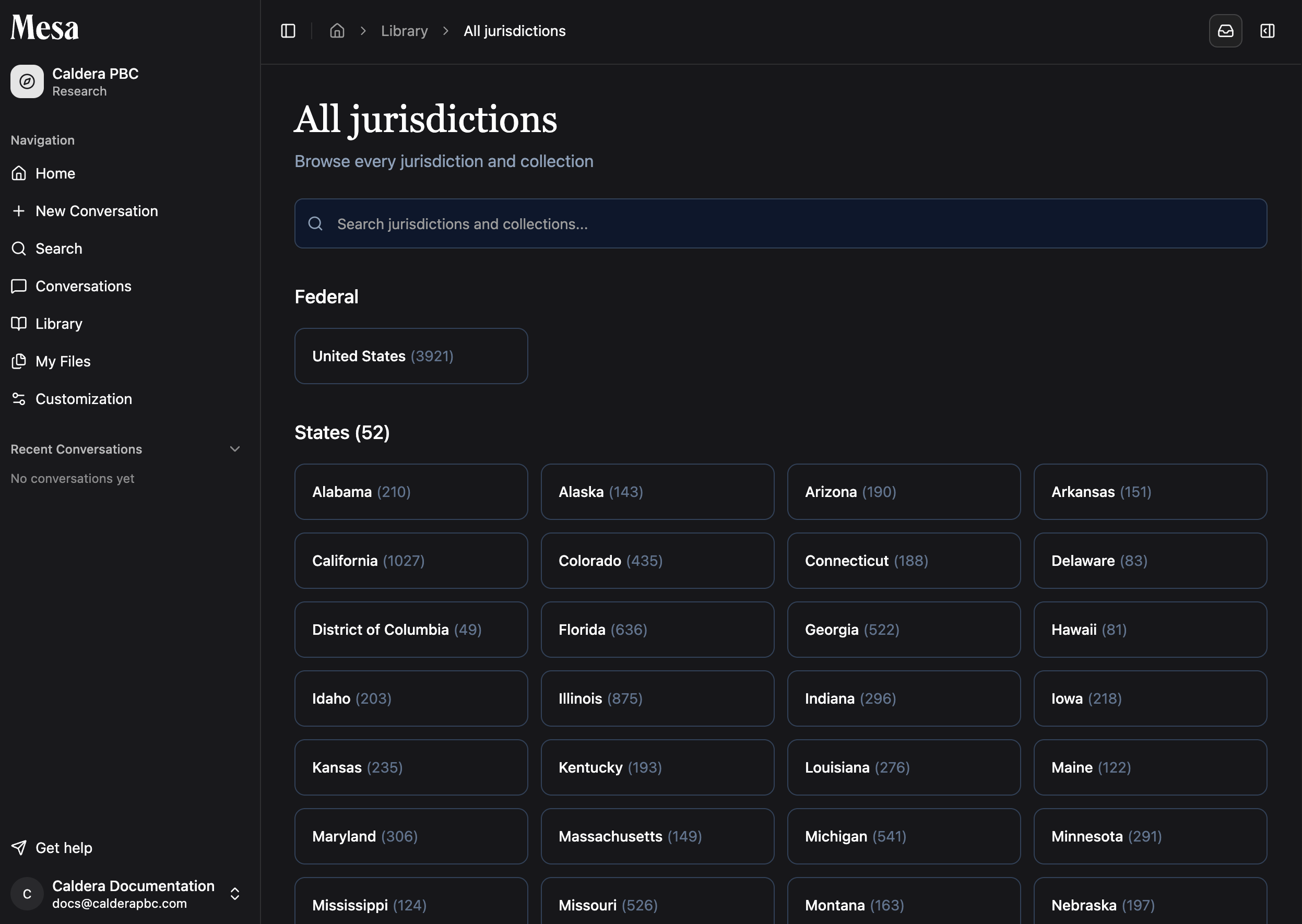
 Use the search tool to look up content directly, or navigate manually to the jurisdiction you want to read.
 ## Read and annotate
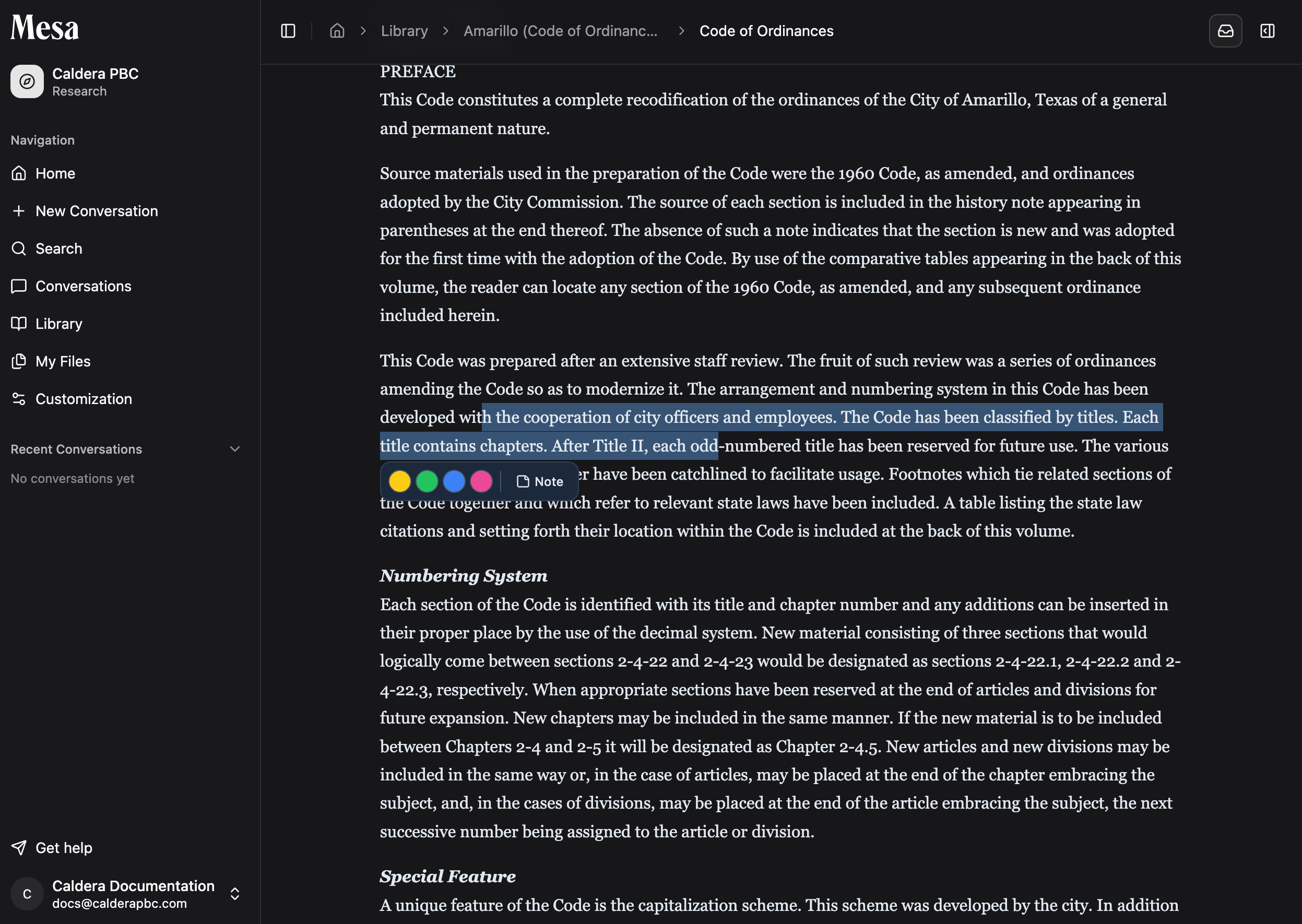
Inside any content area, select text to apply a highlight or add a note. Your annotations are collected under **My annotations**, which you can open from the main Library page.
## Read and annotate
Inside any content area, select text to apply a highlight or add a note. Your annotations are collected under **My annotations**, which you can open from the main Library page.
 While reading, you can also select **Search only this section** to search within the current content page.
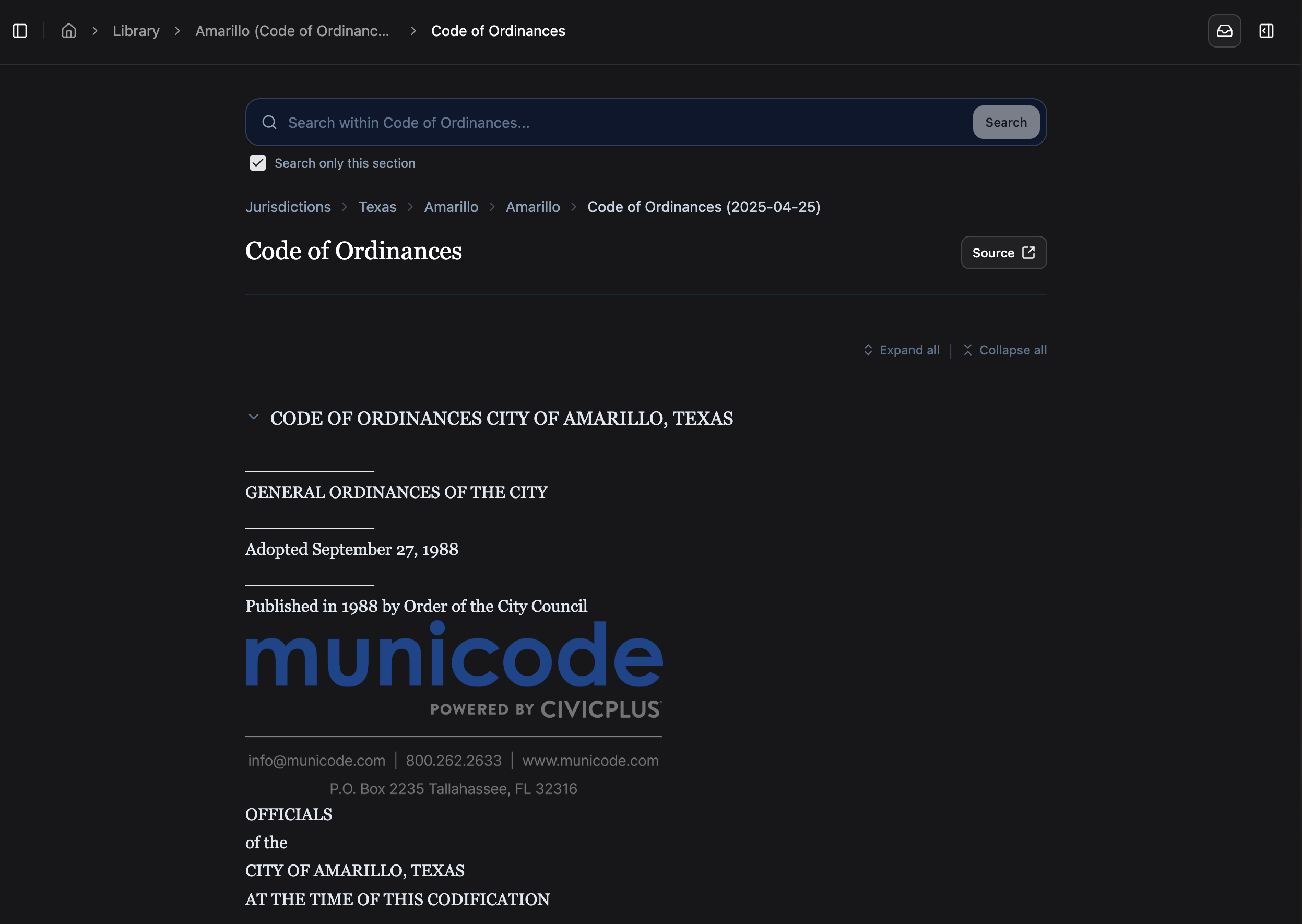 Use **Search only this section** when you're already inside a regulation or collection and want to find a provision without leaving your reading context.
## Pin jurisdictions and collections
Pinning keeps your most-used content at the top of your Library. You can pin from three places:
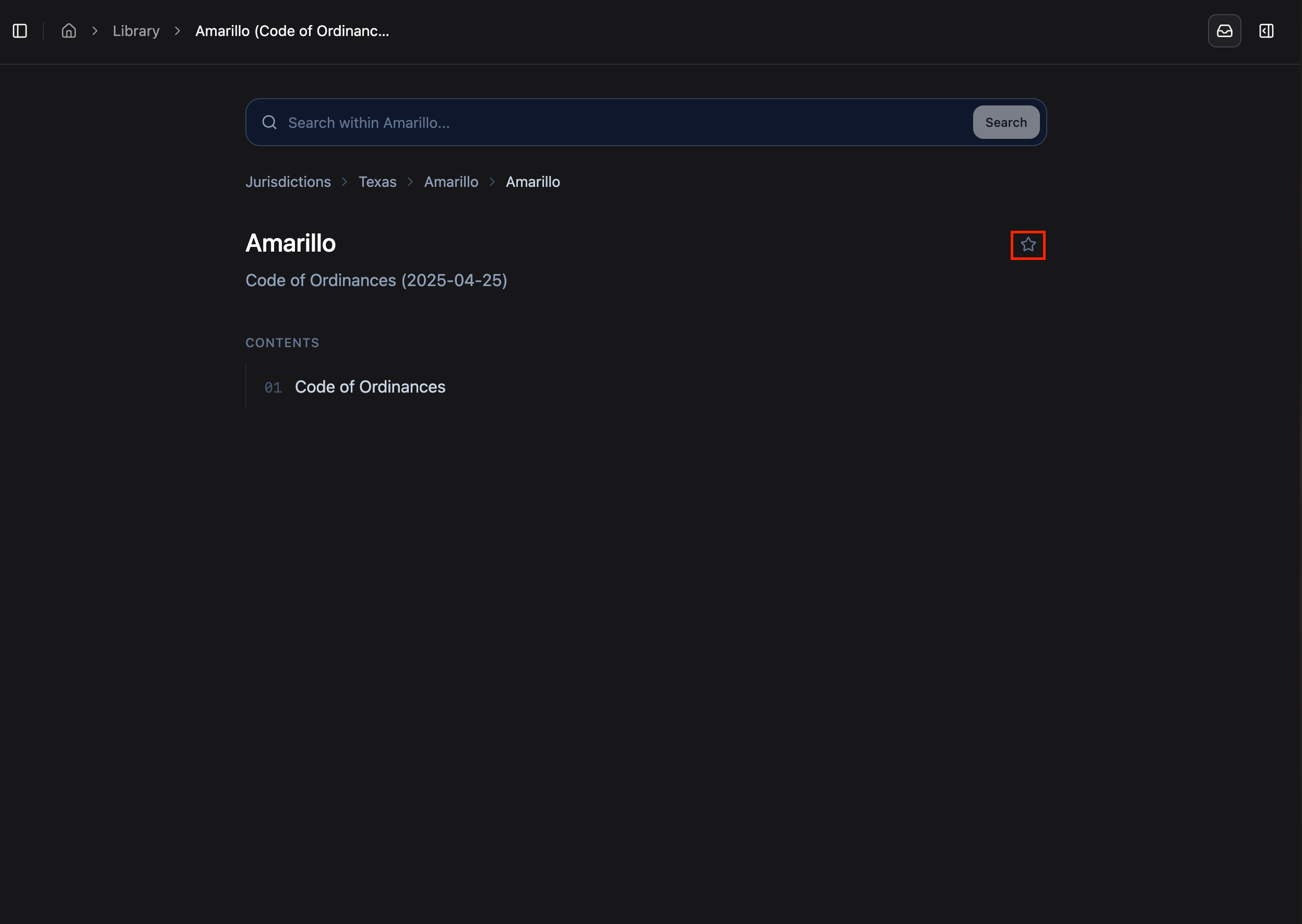
* Inside any content area, click the star icon in the top-right.
* On the main Library page, pin items Mesa surfaces where you left off.
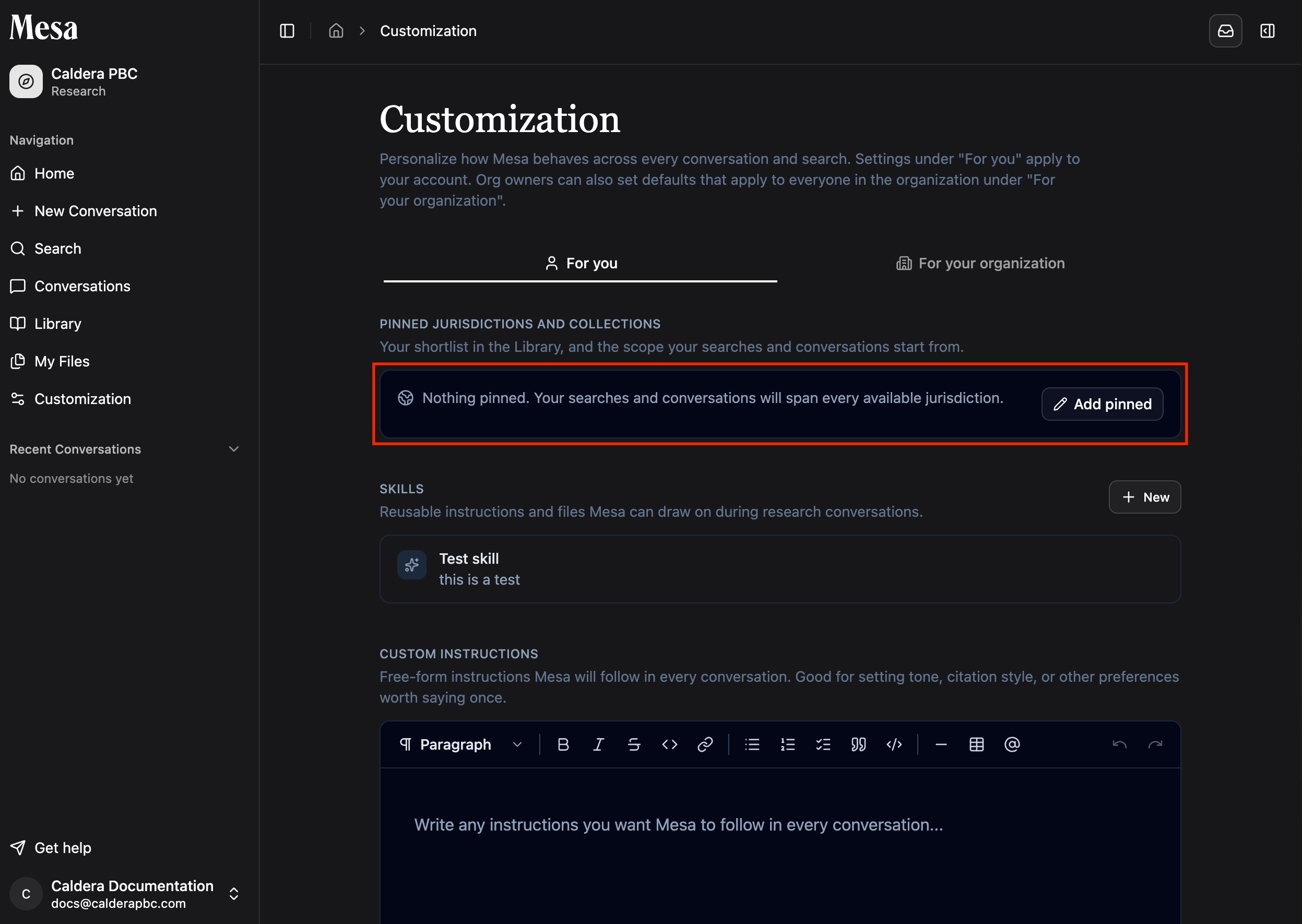
* On your Customization page, manage pinned jurisdictions and collections directly.
Use **Search only this section** when you're already inside a regulation or collection and want to find a provision without leaving your reading context.
## Pin jurisdictions and collections
Pinning keeps your most-used content at the top of your Library. You can pin from three places:
* Inside any content area, click the star icon in the top-right.
* On the main Library page, pin items Mesa surfaces where you left off.
* On your Customization page, manage pinned jurisdictions and collections directly.
 Owners can pin content for the whole organization; see [Organization customization](/organization-customization).
## Resume where you left off
When you return to the main Library page, Mesa reminds you where you stopped reading, so you can pick the content back up without searching for it again.
## Related articles
Find the Library tab in the Mesa sidebar.
Pin library content for everyone in your organization.
Manage your own uploaded documents separately from Library content.
Owners can pin content for the whole organization; see [Organization customization](/organization-customization).
## Resume where you left off
When you return to the main Library page, Mesa reminds you where you stopped reading, so you can pick the content back up without searching for it again.
## Related articles
Find the Library tab in the Mesa sidebar.
Pin library content for everyone in your organization.
Manage your own uploaded documents separately from Library content.